EasyManua.ls Logo

General International 30-005HC-M1 User Manual

General International 30-005HC-M1
24 pages
To Next Page IconTo Next Page
Page #1 background imageLoading...
Page #1 background image
SPECIFICATIONS
TABLE AREA WITH EXTENSIONS (L X W)
28 3⁄8” X 13” (720 X 330 MM)
MAXIMUM PLANING WIDTH
13” (330 MM)
MAXIMUM
THICKNESS OF STOCK
6” (152 mm)
MINIMUM THICKNESS OF STOCK
1⁄8” (3 mm)
MINIMUM LENGTH OF STOCK
5” (127 MM)
MAXIMUM DEPTH OF CUT (FULL
WIDTH)
1⁄16” (1.5 MM)
CUTTER HEAD SPEED
9700 RPM
FEED SPEED
26 FPM
MOTOR
2 HP, 120 V, 1 PH, 15 A
WEIGHT
59 LBS (27 KG)
FEATURES
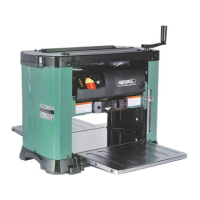
Powerful 2 HP 15 A motor with thermal
overload protection.
Front and rear fold-down extension tables
for smooth easy stock feeding.
Top mounted rollers for multiple passes.
Built-in inset lifting handles.
Large depth of cut adjustment handle –
one full rotation equals 1/16”.
Easy to read thickness indicator with
graduated scale in inches and metric.
Safety on/off switch with key. Unit cannot
be started when key is removed from
switch.
Depth of cut indicator.
Helical cutter head with 26 reversible two-
sided high speed steel inserts.
REVISION 1 - AUGUST 26 /10
© Copyright General® International 08/2010
Question and Answer IconNeed help?

Do you have a question about the General International 30-005HC-M1 and is the answer not in the manual?

General International 30-005HC-M1 Specifications

General IconGeneral
BrandGeneral International
Model30-005HC-M1
CategoryPlaner
LanguageEnglish

Summary

Planer Key Features

Planer Safety Operation Rules

Electrical Requirements and Safety Precautions

Planer Adjustments and Controls

Connecting to the Power Source

Properly connecting the planer to an electrical outlet.

On/Off Power Switch Operation

How to operate the main power switch and use the safety key.

Circuit Breaker and Surge Protection

Procedure for resetting the surge protection circuit breaker.

Adjusting Cutter Head Height

Raising or lowering the cutter head for depth of cut adjustment.

Using the Pre-set Thickness Stop Gauge

Setting the stop gauge for specific final workpiece thicknesses.

Depth of Cut Indicator Operation

Understanding the indicator for setting the depth of cut.

Planer Operating Instructions

Step-by-Step Planing Guide

Planer Maintenance and Adjustments

Inspecting and Replacing Cutterhead Knives

How to check for knife wear and replace them.

Related product manuals