Need help?
Do you have a question about the GENERAL LIFE HT250S SET and is the answer not in the manual?
The HT250S SET is a wireless digital room thermostat designed to maintain a constant room temperature in heating systems. It features a large LCD with a backlight for clear display of information, a battery indicator, and on-off control for heating systems. The device also includes a heating calibration function.
The HT250S SET operates by measuring the room temperature using its integrated NTC temperature sensor. Users can set their desired temperature by rotating a button to the right or left. When the room temperature exceeds the set value, the thermostat sends a shutdown command to the modem, which then turns off the relay, effectively stopping the heating unit. Conversely, when the room temperature falls below the set value, the thermostat will initiate the heating system.
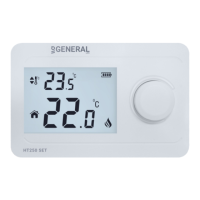
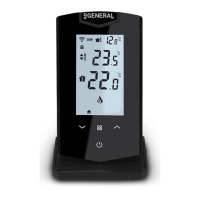
The digital display provides comprehensive information, including the set temperature, current room temperature, battery life, and a heating symbol. The heating symbol indicates the operational status of the boiler. The device measures temperature with an accuracy of 0.1°C. To prevent the heating unit from frequently starting and stopping, the thermostat incorporates an operating sensitivity of 0.5°C. This means the heating system will only activate or deactivate when the temperature deviates by at least 0.5°C from the set point. The device manages heating systems using an on-off operation algorithm.
The room thermostat allows for temperature control, maintaining the room temperature according to the set value with an on/off temperature difference of 0.5°C. Additionally, a calibration function is available, enabling users to adjust the measured temperature if they wish to align it with other thermometers in their living space. The calibration range is from -8°C to +8°C.
The device consists of three main parts: a plastic body, a battery cover, a wall hanger, and a holder. The battery cover is integrated into the plastic case. Once the wall bracket is mounted in the desired location, the plastic body can be attached to it.
The HT250S SET is suitable for a variety of applications, including houses, apartments, residences, schools, and offices. It is compatible with combi boilers and all on/off heating systems operating at 220V AC 7A current and voltage values.
For installation, the room thermostat can be used in a fixed position by mounting the wall apparatus in a frequently used living space. Alternatively, it can be placed on a table bracket by removing the wall bracket. It is recommended to install the thermostat in areas with stable air circulation, avoiding locations near door entries, window edges, heating units (such as heating panels or fireplaces), and direct sunlight. The ideal placement height is between 50 cm and 150 cm from the floor. Users may need to experiment with a few locations to find the optimal spot. If using the wall bracket, it must be mounted on a flat wall. All installations should adhere to local electrical regulations and be performed by authorized personnel. In systems with thermostatic radiator valves, these should be kept in the open position.
Battery Change: To replace the batteries, remove the battery cover located on the back of the thermostat. Insert two 3V DC (AAA alkaline) batteries into the battery compartment, ensuring correct polarity. Close the battery cover and place the thermostat back into its wall or table bracket. It is recommended to replace both batteries simultaneously. Discharged batteries should be disposed of in designated waste bins for battery wastes.
Modem Synchronization: Each room thermostat is factory-matched with a modem. In case of signal loss, the matching process can be re-performed. First, turn off the room thermostat. Press the button for 3 seconds to access the heating calibration setting menu. Press the button again to enter the sync menu, indicated by "Adr." Next, press the sync button on the receiver for 2 seconds until its green light blinks. Then, rotate the thermostat's button to the right or left. A stable green light on the receiver and an audible signal from the receiver will confirm successful synchronization.
Room Thermostat Heating Calibration: To calibrate the room thermostat to match the temperature readings of other thermometers in your living space, turn off the device and press the button for 3 seconds. Set the desired temperature difference by rotating the button to the right or left. This value can be adjusted between -8°C and +8°C. Exit the menu by pressing the button. The recommended temperature calibration is 0.0°C.
Modem Placement: When placing the receiver, it is crucial to avoid physical contact with the boiler and protect it from liquids, dust, and other materials. The receiver can be placed inside the boiler's cabinet without physical contact or mounted on a wall.
The HT250S SET device is designed to be maintenance-free.
 General
| Accuracy | ±0.5°C |
|---|---|
| Power Supply | 2 x AA batteries |
| Load Current | 16A |
| Protection Class | IP20 |
| Power Source | Battery |
| Temperature Range | 5°C to 35°C |
| Dimensions | 86x86x15mm |

 To Next Page