Need help?
Do you have a question about the General Music S2R and is the answer not in the manual?
Basic precautions for using electric products.
Warnings regarding improper connection and grounding.
Description of the front panel controls and features for S2/S3 models.
Description of the rear panel connectors and controls for S2/S3 models.
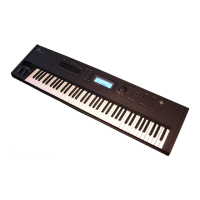
Description of the front panel controls and features for the S2R model.
Description of the rear panel connectors and controls for the S2R model.
Details data storage in RAM, floppy disks, and RAM-disks.
Explains Normal, Edit/Handling, and Multitasking modes of operation.
Instructions on connecting the instrument to a power source.
Guidance on connecting audio outputs and headphones.
How to connect the S2R to master keyboards or sequencers.
Steps for powering on the instrument and initial volume settings.
How to use the sound test feature for audio output checking.
Explains controls like Dial, +/- buttons, Enter, Exit, and keypad.
Describes the two viewing modes and how to save performance settings.
How to load data (Setups, Banks/Songs) from disk into RAM.
Procedures for saving instrument data to disk or RAM-disk.
Explains song playback, sequencer functions, and background loading.
Step-by-step instructions for recording songs using the sequencer.
How to edit sound parameters using Function Controllers.
Detailed guide to editing sounds, waveforms, filters, and envelopes.
Introduction to the Sample Translator program for waveform creation.
Steps to save a created waveform and assign it to a new sound.
Comprehensive guide to editing sounds, oscillators, filters, and envelopes.
Program for importing, editing, and creating samples and waveforms.
How the sequencer and song functions work, including playback and recording.
Detailed editing of song events, including erase, move, quantize, and copy.
Instrument-wide settings like tuning, MIDI, date/time, and General MIDI.
Managing data on floppy disks and RAM-disks.
Activating and configuring General MIDI and GS compatibility.
Guide to programming reverb effects, with and without early reflections.
Guide to programming modulation effects like Delay, Chorus, Flanger.
MIDI implementation details, messages, and system exclusive codes.
Detailed technical specifications of the instrument's hardware and features.
Common problems, their possible causes, and solutions.
 General
| Polyphony | 32 voices |
|---|---|
| Multitimbral | 16 parts |
| Effects | Reverb, Chorus, Delay |
| MIDI | In, Out, Thru |
| Sampling Rate | 44.1 kHz |
| Bit Depth | 16-bit |
| Display | LCD |
| Synthesis Method | PCM |
| Connectivity | Audio Out |


 To Next Page