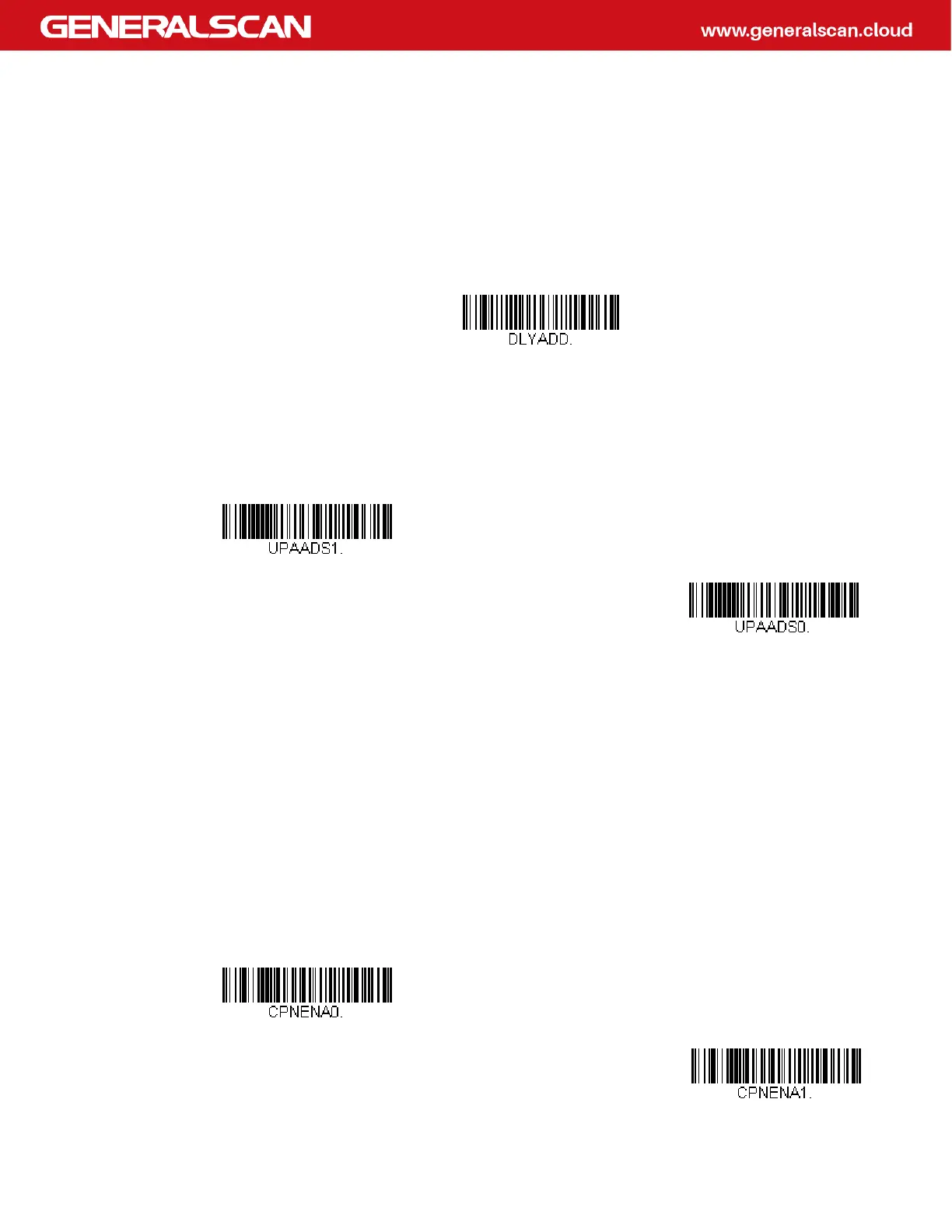
Addenda Timeout
You can set a time during which the scanner looks for an addenda. If an addenda is
not found within this time period, the data can b
e either transmitted or discarded,
based on the setting you are using for UPC-A Addenda Required. Set the length
(in milliseconds) for this timeout by scanning the bar code below, then setting the
timeout (from 0-65535 milliseconds) by scanning digits from the Programming
Chart, then scanning Save. Default = 100.
UPC-A Addenda Separator
When this feature is on, there is a space between the data from the bar code and
the data from the addenda. When turned off, there is no space. Default = On.
UPC-A/EAN-13 with Extended Coupon Code
Use the following codes to enable or disable UPC-A and EAN-13 with Extended
Coupon Code. When left on the default setting (Off), the scanner treats Coupon
Codes and Extended Coupon Codes as single bar codes.
If you scan the Allow Concatenation code, when the scanner sees the coupon
code and the extended coupon code in a single scan, it transmits both as one sym-
bologies. Otherwise, it transmits the first coupon code it reads.
If you scan the Require Concatenation code, the scanner must see and read the
coupon code and extended coupon code in a single read to transmit the data. No
data is output unless both codes are read. Default = Off.
Addenda Timeout
* On
Off
* Off
Allow Concatenation



 To Next Page