Tr
igger Modes
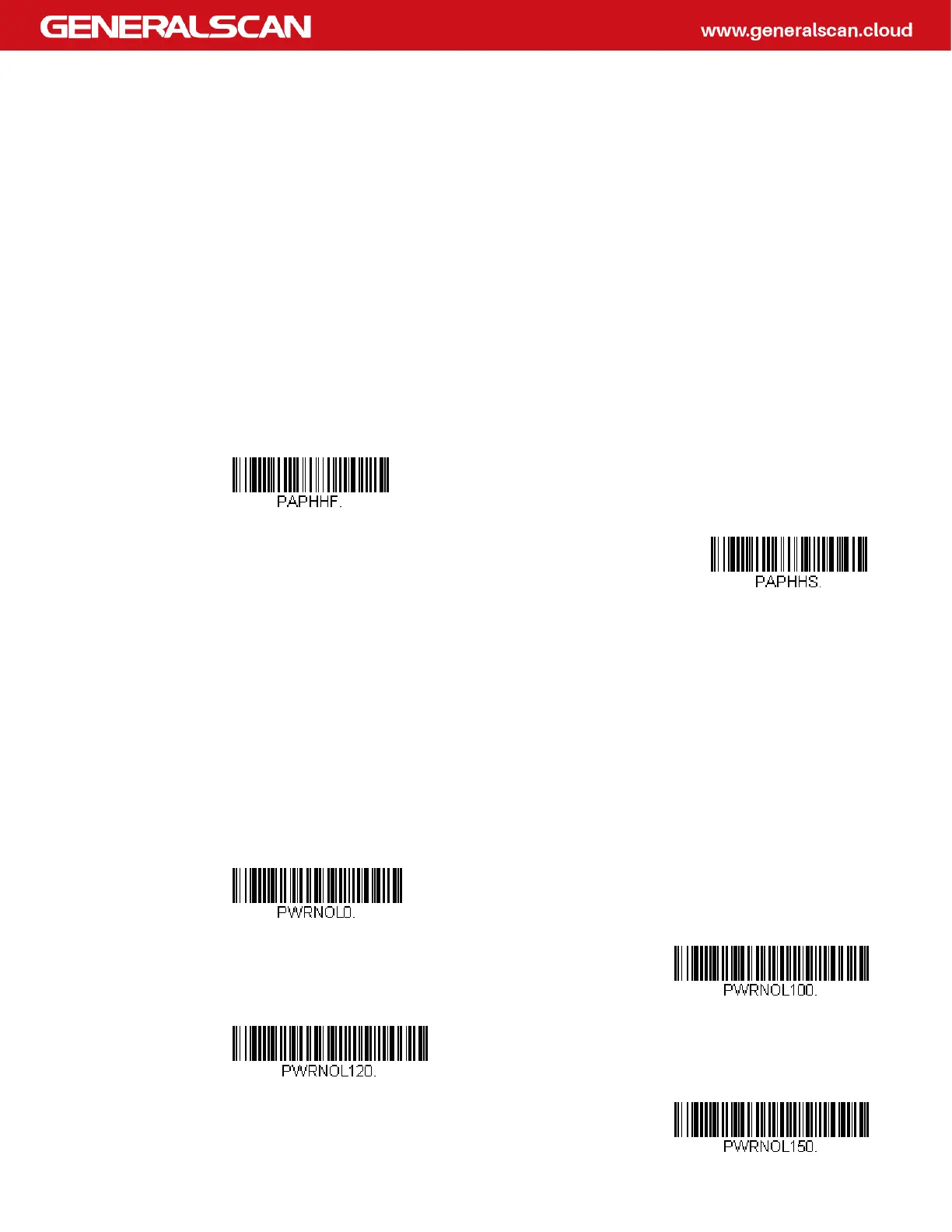
Manual Trigger Mode
When in manual trigger mode, the scanner scans until a bar code is read, or until
the trigger is released. Two modes are available, Normal and Enhanced. Normal
mode offers good scan speed and the longest working ranges (depth of field).
Enhanced mode will give you the highest possible scan speed but slightly less
range than Normal mode. Enhanced mode is best used when you require a very
fast scan speed and don’t require a long working range. Default = Manual Trigger-
Normal.
LED Illumination - Manual Trigger
If you wish to set the illumination LED brightness, scan one of the bar codes below.
This sets the LED illumination for the scan engine when the trigger is pressed.
Default = High.
Note: The LEDs are like a flash on a camera. The lower the ambient light in the room, the
brighter the LEDs need to be so the scan engine can “see” the bar codes.
Note: Lower LED illumination settings are more visible to the user on rolling shutter
engines than global shutter engines.
* Manual Trigger - Normal
Manual Trigger - Enhanced
Off
Low
Medium
* High
Input/Output Settings



 To Next Page