2
Thank you for buying our Wi-Fi DV. Before start using this product,
please read this manual carefully to maximize its performance and extend the
life of the product.
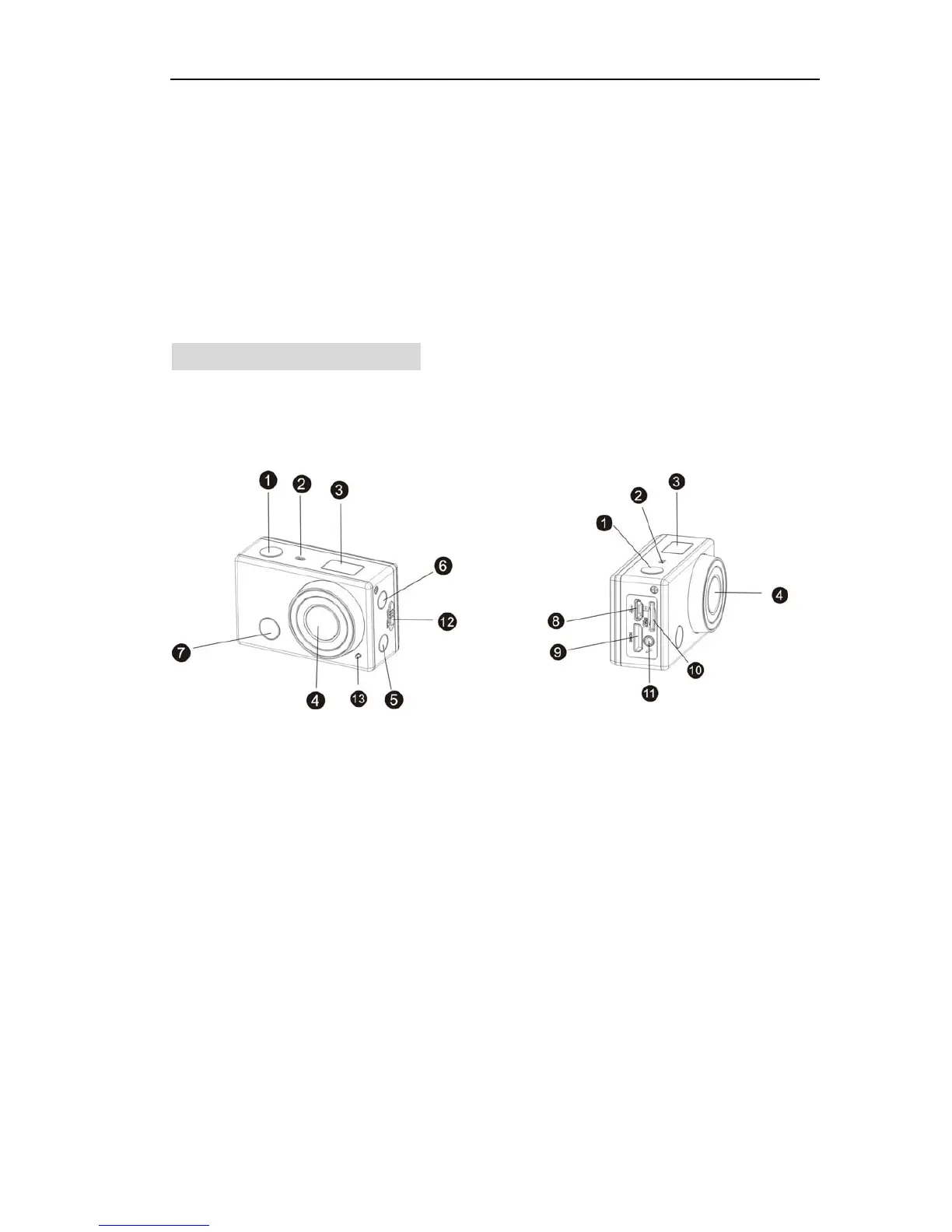
Appearance and Buttons
1. Shutter button 8. Micro USB port
2. Microphone 9. Mini HDMI port
3. LCD display 10. Micro SD card slot
4. Lens 11. External microphone
5. Wi-Fi switch and status indicator (red) 12. Battery cover push switch
6. Power / Mode button 13. LED light
7. Infrared signal reception light


 To Next Page