4
Note: The above icons may vary according to the status of the DV.
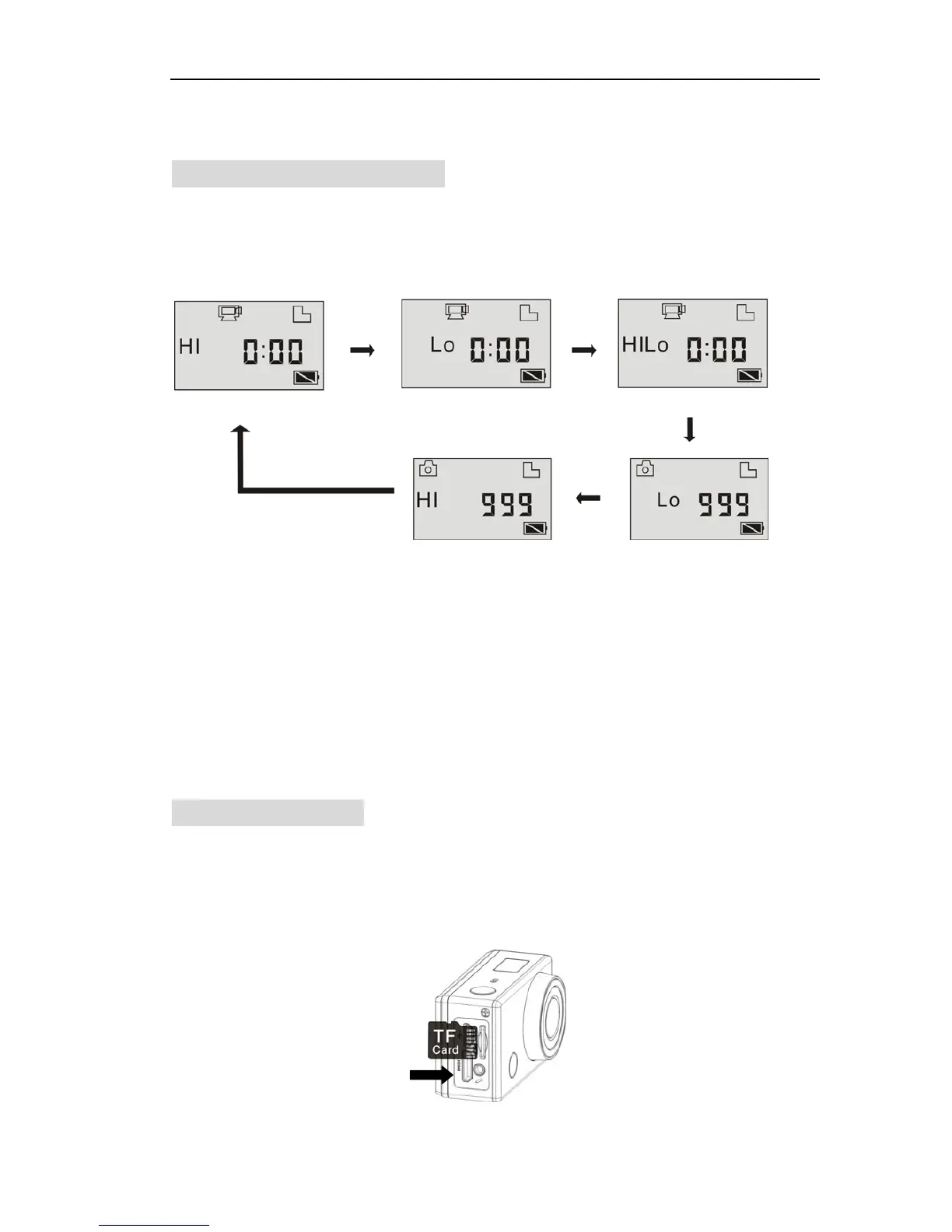
Working Mode Flow Chart
A
fter turn on the DV, you can press the Power/Mode button to switch the
following modes in turn:
In video mode, press the Shutter button to start recording, LED flash,
and press it again to stop;
In camera mode, press the Shutter button to take photo.
Use your Wi-Fi DV
When you use the DV for the first time,please:
1. Insert a micro SD or micro SDHC card, as shown in the following
picture.


 To Next Page