On-Demand Diagnostics
This feature provides you with a timely in-vehicle diagnostic evaluation,
adding peace of mind to your drive.
How to Use On-Demand Diagnostics in Your Vehicle
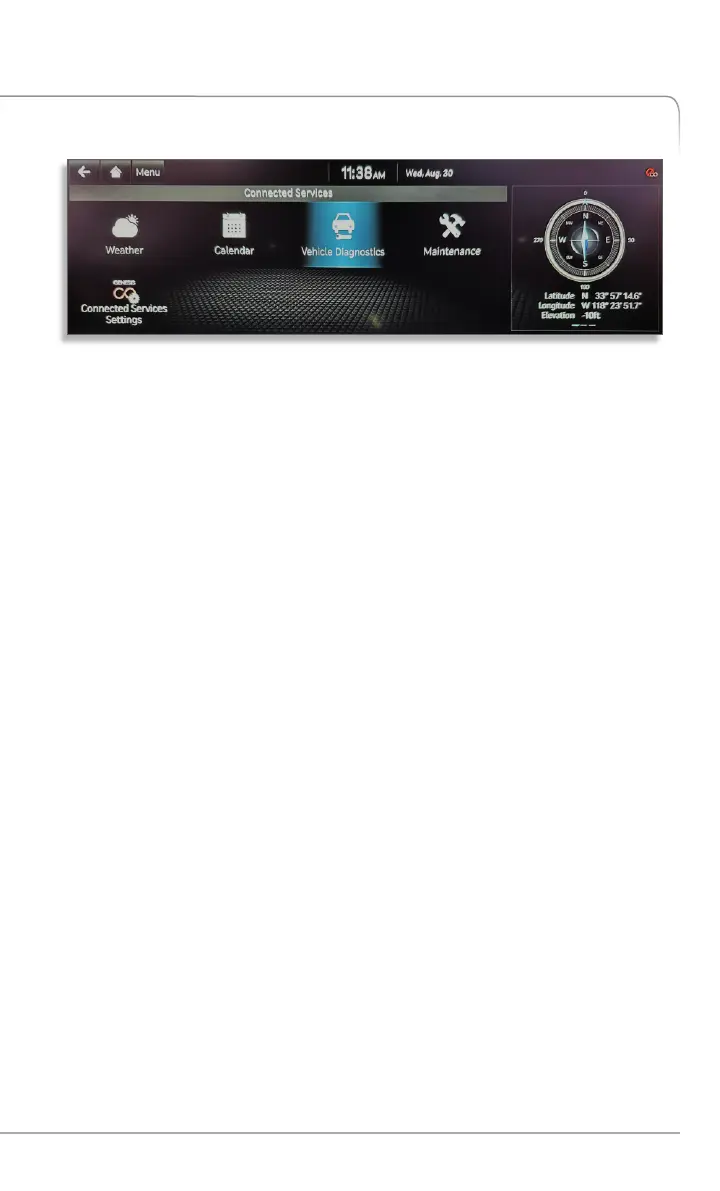
• Access the feature from the Genesis Connected Services Menu on
your vehicle’s touchscreen display.
• After the vehicle performs the diagnostic sweep, the system will notify
you if any conditions are found.
• You can view the details of any condition found immediately and even
schedule service with a press of a button.
Driving Information
Driving Information enhances your driving experience by readily
summarizing the data gathered from your most recent trip.
How to Access Driving Information in Your Vehicle
• Access the feature from the Genesis Connected Services Menu on
your vehicle’s touchscreen display.
• Data available includes driving distance, driving time, engine idle time,
speed distribution and charts comparing your vehicle’s acceleration
and deceleration.
• All data is a running average and you can view changes during or after
your most recent trip.
Your Vehicle Touchscreen Display
Please note: actual vehicle display may appear differently
depending upon vehicle and equipment
Car Care Features
GENESIS CONNECTED SERVICES FEATURE DESCRIPTIONS
19
Genesis Connected Services User’s Manual I


 To Next Page
 Loading...