With this feature, you can lock or unlock your vehicle doors from virtually
anywhere by using the Genesis Intelligent Asistant App, or using the
Genesis Connected Services Owner’s website.
To Activate Remote Door Unlock/Lock
•
• Enter your Genesis Connected Services PIN or authenticate via your
smartphone s biometric capabilities, if setup.'
• The command to lock or unlock your doors will be sent to your vehicle.
•
By website: Log on to Genesis Connected Services’: owners.genesis.com select ‘
• Select Remote ‘Door ‘Unlock‘ or ‘Lock’.
•
Select Lock Doors (Bluelink PIN not required) or select Unlock Doors ‘ ‘ ‘ ‘
(Bluelink PIN or authentication via your smartphones biometric
capabilities required, if setup).
Please note: After Genesis Connected Services unlocks the doors, they will remain
unlocked for only 30 seconds. This auto relock is designed to enhance vehicle security by
re-locking the doors if the doors are not opened within 30 seconds.
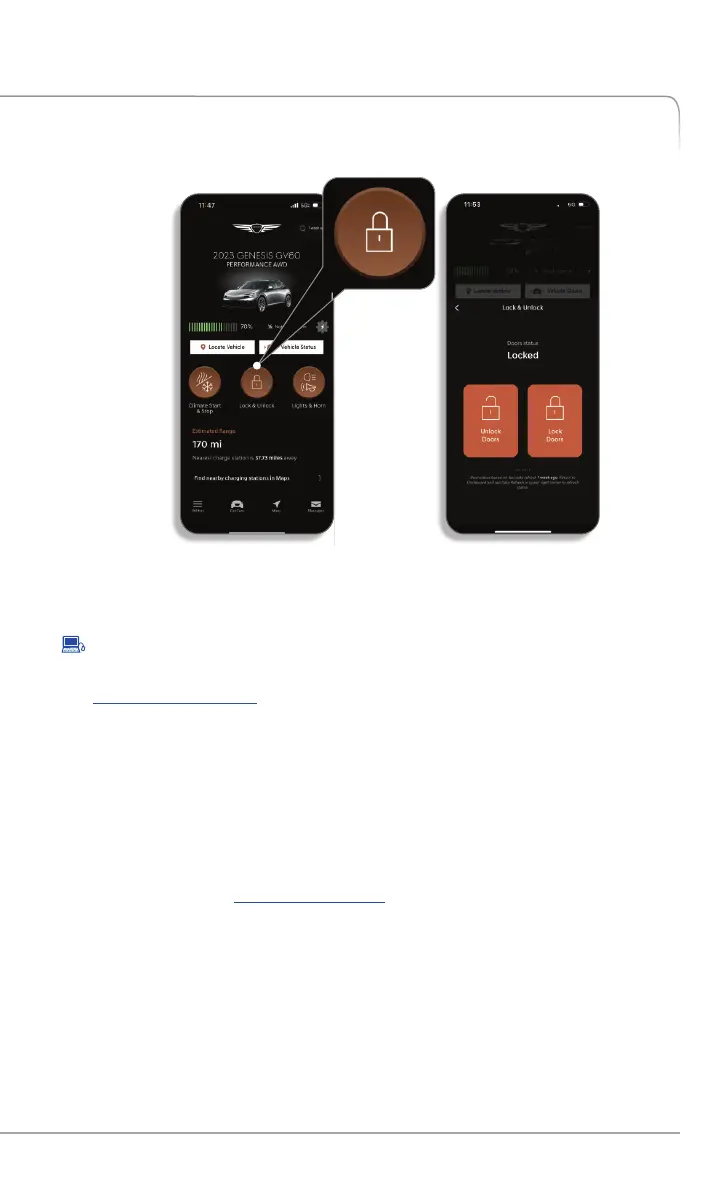
FEATURES ACCESSIBLE VIA THE GENESIS MOBILE APP
In the Remote Commands section of the home screen select
'Unlock' or 'Lock':
Remote Services are subject to adequate cellular coverage and signal strength, and only
available in the 50 United States.
Remote Door Unlock/Lock
•
To use this feature, you must have a Genesis Connected Services Personal
Identification Number (PIN). To create or change your PIN, log on to
owners.genesis.com. 8 See page of this manual for more information.
Other Features
GENESIS CONNECTED SERVICES FEATURE DESCRIPTIONS
21
Genesis Connected Services User’s Manual I


 To Next Page
 Loading...