Remote Horn/Lights
To Activate Remote Lights or Horn/Lights
•
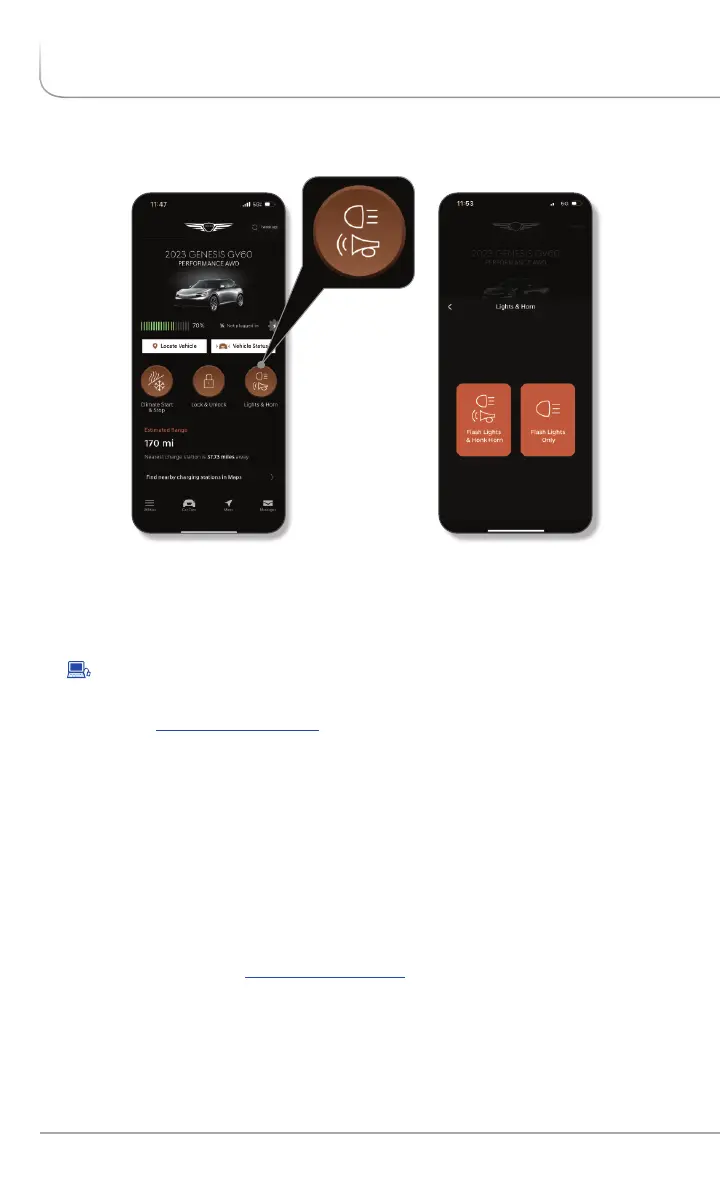
In the Remote Commands section of the home screen select ‘Horn &
Lights‘:
:
• Enter your Genesis Connected Services PIN or authenticate via your
smartphone s biometric capabilities, if setup.'
• The command to flash your vehicle’s lights, or flash the lights and
honk the horn, will be sent to your vehicle.
•
By website: Log on to , Genesis Connected Services’:owners.genesis.com ‘
• Select Remote ‘Horn and Lights’.
•
Select ‘Flash Lights Only’ or ‘Flash Lights and Horn’, then input your
Genesis Connected Services PIN or authenticate via your
smartphone s biometric capabilities, if setup.'
Please note: Remote Services are subject to adequate cellular coverage and signal
strength, and only available in the 50 United States.
This feature may be used to locate your parked vehicle in a large parking lot
or for added safety. This service may be used in coordination with local
authorities to locate a vehicle that has been stolen or in coordination with
emergency services for a vehicle that is in a location that is not readily visible.
•
To use this feature, you must have a Genesis Connected Services
Personal Identification Number (PIN). To create or change your PIN, log
on to See page of this manual for moreowners.genesis.com. 8
information.
FEATURES ACCESSIBLE VIA THE GENESIS MOBILE APP
GENESIS CONNECTED SERVICES FEATURE DESCRIPTIONS
Other Features
22
I
Genesis Connected Services User’s Manual


 To Next Page
 Loading...