Need help?
Do you have a question about the Genesis Seaborg350 and is the answer not in the manual?
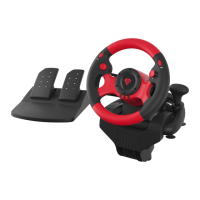
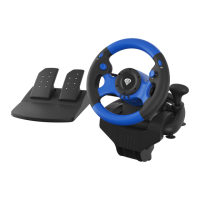
Details the key features of the racing wheel, including realistic pedals and button programming.
Lists all items included in the racing wheel package, such as the wheel and foot pedals.
Specifies the necessary hardware and software for the racing wheel to function.
Provides detailed technical data like button count, dimensions, and cable length.
Outlines the terms of the manufacturer's limited warranty for the product.
Step-by-step instructions for connecting and setting up the racing wheel on a PC.
Guidance for connecting and configuring the racing wheel with a Nintendo Switch console.
Instructions for plugging in and preparing the racing wheel for use with a PS3.
Details on connecting the racing wheel to a PS4, including controller requirements.
Steps for connecting the racing wheel to Xbox 360 or Xbox One consoles.
How to switch between X-Input and D-Input modes for PC connectivity.
Instructions for customizing button assignments for enhanced gameplay.
Guide to programming pedals and paddles as Y-axis inputs.
Procedures for clearing single or all custom button assignments.
Important warnings and guidelines for safe product usage and handling.
Details on product compliance with EU requirements and environmental disposal.
 General
| Brand | Genesis |
|---|---|
| Model | Seaborg350 |
| Category | Video Game Controller |
| Language | English |

 To Next Page