Section 5 Menu Functions and Procedures
Rev A Nov, 2016 IDU-680 EFIS Software Version 8.0E (Fixed Wing) 5-27
5.6.4. EICAS Page First-Level Option Descriptions
1) SET FUEL: Same function as MFD Page First-level.
2) PAGE 1 through PAGE 5 (only in Normal Mode): Options are
only shown when more than one EICAS page is configured.
3) EXPAND CAS (): Activates the Expand CAS menu option
only when there are more than 11 active CAS messages.
4) EXCD: Activates the EICAS Exceedance menu option and only
appears if exceedances are logged.
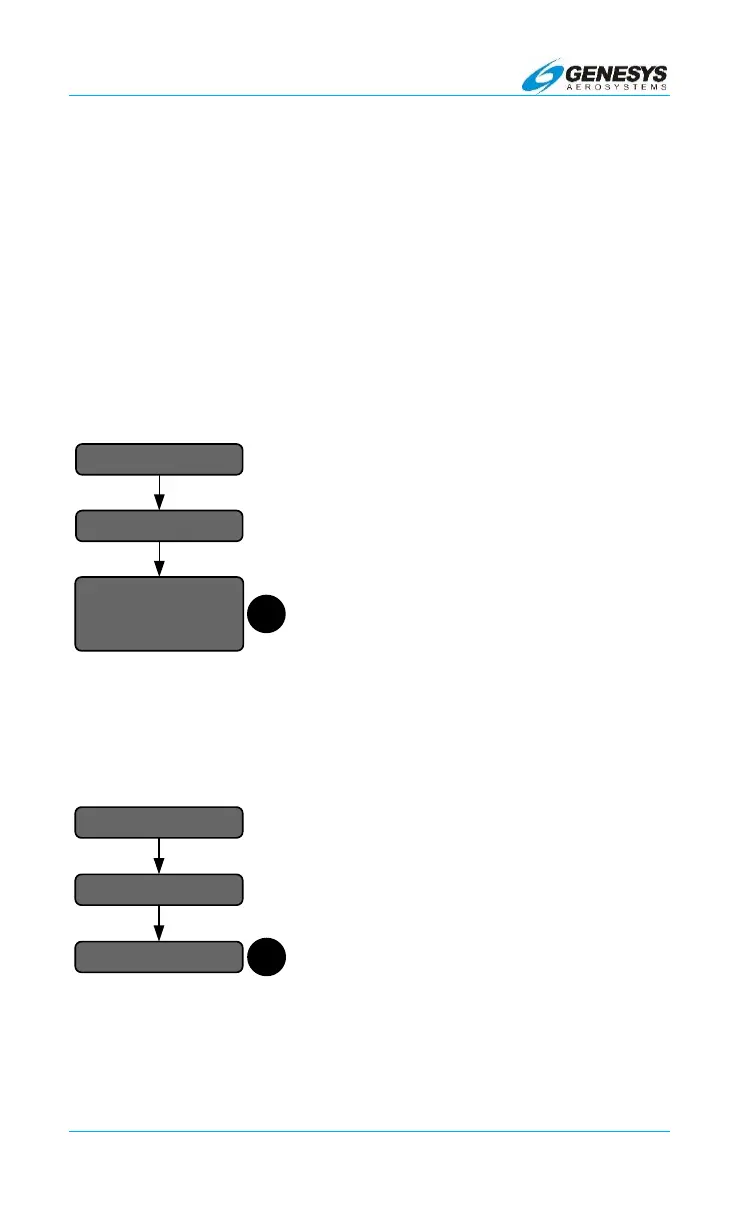
5.7. EICAS Exceedance Menu
EICAS Exceedance menu presents a
listing of logged EICAS exceedances.
Scroll to view each line. The format for
each exceedance line is the following:
1) Exceedance element name;
2) Logged peak value in element units;
and
3) Logged duration in hh:mm:ss format.
Figure 5-10: EICAS Exceedance Menu
5.8. Expand CAS Menu
Expand CAS menu changes the display
of CAS messages from a stacked
presentation to a CAS display box to view
off-screen messages when the message
count exceeds 11. In the Expand CAS
menu, is dedicated to scroll the CAS
display box.
Figure 5-11: Expand CAS Menu
EXCD..
1
MENU
Exceedance Listing
…
…
...
EXPAND CAS..
1
SCROLL CAS
MENU


 To Next Page