EasyManua.ls Logo

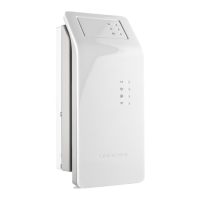
Genexis Hybrid Live! Titanium - User Manual

Genexis Hybrid Live! Titanium
16 pages
Print Icon
To Next Page IconTo Next Page
Loading...
Quick Installation Guide
Live!
Titanium
Question and Answer IconNeed help?

Do you have a question about the Genexis Hybrid Live! Titanium and is the answer not in the manual?

Summary

Live! Overview and Interfaces

User Interfaces

Identifies and describes the physical ports and buttons on the Hybrid Live! device.

Status Feedback LEDs

Explains the meaning and behavior of the device's various status indicator LEDs.

Touch Buttons Functionality

Details the function and operational actions of the device's touch-sensitive buttons.

Installation and Setup

Physical Installation and Powering

Guides on physically connecting the device and initiating the startup sequence.

Connecting Computer and Telephone

Steps for connecting a computer via Ethernet and a telephone to voice ports.

Connecting Television;Radio and Cleaning

Guide for connecting TV/radio and instructions for safe product cleaning.

Network Setup

Network Configuration Steps

Detailed procedure for configuring network settings and checking connection status.

Wireless Setup

Wireless Connection Steps

Instructions for setting up a wireless connection using SSID and WPA key.

Configuring Your Live!

Device Configuration

Steps to log in to the device's web interface and configure settings.

Troubleshooting

Summary

Live! Overview and Interfaces

User Interfaces

Identifies and describes the physical ports and buttons on the Hybrid Live! device.

Status Feedback LEDs

Explains the meaning and behavior of the device's various status indicator LEDs.

Touch Buttons Functionality

Details the function and operational actions of the device's touch-sensitive buttons.

Installation and Setup

Physical Installation and Powering

Guides on physically connecting the device and initiating the startup sequence.

Connecting Computer and Telephone

Steps for connecting a computer via Ethernet and a telephone to voice ports.

Connecting Television;Radio and Cleaning

Guide for connecting TV/radio and instructions for safe product cleaning.

Network Setup

Network Configuration Steps

Detailed procedure for configuring network settings and checking connection status.

Wireless Setup

Wireless Connection Steps

Instructions for setting up a wireless connection using SSID and WPA key.

Configuring Your Live!

Device Configuration

Steps to log in to the device's web interface and configure settings.

Troubleshooting

Genexis Hybrid Live! Titanium Specifications

General IconGeneral
CategoryModem
Wireless Frequency Bands2.4 GHz, 5 GHz
Power Supply12V DC
ModelHybrid Live! Titanium
LAN Ports4
VoIP Ports2
Wi-Fi Standard802.11ac
Maximum Data Rate1 Gbps
SecurityWPA3