The Genie HDMID04 is a 1 Input, 4 Output HDMI Distribution Amplifier, also known as a 1x4 HDMI splitter. Its primary function is to take a single HDMI source and distribute its signal to four separate HDMI displays simultaneously. This device is designed to support high-resolution video, specifically up to 4K at 60Hz with 4:4:4 chroma subsampling, ensuring a clear and vibrant picture across all connected screens. A key feature of the HDMID04 is its support for EDID (Extended Display Identification Data) management, which allows it to easily work with various displays that may have different resolutions. This capability helps in optimizing the video output for each connected display, preventing compatibility issues.
Technical Specifications:
- Compliance: The device adheres to several industry standards, including HDMI 2.0, HDCP 1.4, HDCP 2.2, and DVI 1.0, ensuring broad compatibility with modern and older HDMI-enabled equipment.
- Maximum Video Resolution: It supports resolutions up to 4K @ 60Hz with 4:4:4 chroma subsampling, providing high-quality video output.
- Audio Format: The HDMID04 supports a range of audio formats, including LPCM 7.1, Dolby TrueHD, and DTS-HD Master Audio, offering a rich audio experience.
- Video Input: It features one HDMI Type A input for connecting the source device.
- Video Output: It provides four HDMI Type A outputs for connecting to multiple displays.
- EDID Selector: The device includes a 1x4 Pin DIP Switch for EDID management, allowing users to configure how EDID information is handled.
- RS232 Interface (Console): A 1x DB9 Female connector is provided for firmware updates, indicating a level of future-proofing and potential for enhanced functionality.
- Power Connector: It uses a DC 5V 2A power connector.
- Power Supply: The maximum power consumption is 1A.
- Temperature: It operates within a temperature range of 0 to 60°C and can be stored from -20 to 85°C.
- Humidity: The operating and storage humidity is up to 85%.
- Dimensions: The physical dimensions of the unit are 167mm (width) x 102mm (depth) x 40mm (height).
- Weight: The device weighs 455g.
Usage Features:
The HDMID04 is designed for straightforward application, connecting a single HDMI source (like a DVD player or computer) to multiple HDMI displays (such as TVs or monitors).
- Panel View: The device features clearly labeled ports on its panel. On the front, there's an EDID COPY button and an EDID SELECT DIP switch. The rear panel includes the HDMI IN port, four HDMI OUT ports, a CONSOLE (RS232) port, and a DC 5V power input.
- LED Indication: The device provides clear LED indicators for its operational status:
- POWER (Green): Illuminates when the unit is powered on.
- INPUT (Blue): Illuminates when an HDMI input signal is connected.
- OUTPUT1-4 (Blue): Each output has a dedicated blue LED that illuminates when an HDMI output is connected to a display.
- DIP Switch Instruction for EDID: The 1x4 Pin DIP switch allows for flexible EDID management:
- DIP Switch 1-4 OFF: Sets the default EDID to 1080P.
- Switch ON 1/2/3/4: Allows the user to select a specific output (1, 2, 3, or 4) as the EDID source. This is useful when one display has a preferred resolution or capability that should be replicated to other displays.
- Over 1 DIP switches ON: When more than one DIP switch is set to ON, the device performs an EDID analysis and generates a new set of EDID data to support the screen resolution of all selected outputs. For example, if outputs 1 and 2 have different resolution screens, setting DIP switches 1 and 2 to ON and then pressing the "EDID COPY" button will cause the device to regenerate EDID to support both monitors' screen resolutions.
- EDID COPY Button Instruction: Pressing the "EDID COPY" button initiates the learning and writing process for EDID. It's important to note that when learning EDID from more than two ports, the audio will only support two-channel audio.
Maintenance Features:
- Console Port (RS232): The RS232 interface serves as a console port, allowing connection to a PC for firmware updates. This feature ensures that the device can be updated with new functionalities, bug fixes, or improved compatibility over time, extending its lifespan and adaptability to evolving technology standards.
In summary, the Genie HDMID04 is a robust and versatile HDMI distribution amplifier designed to efficiently split a single 4K HDMI signal to four displays, with intelligent EDID management to ensure optimal performance across various display setups. Its clear indicators, flexible EDID configuration, and firmware update capability make it a practical solution for both home and professional AV environments.

 Need help?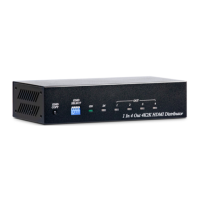

 To Next Page

 General