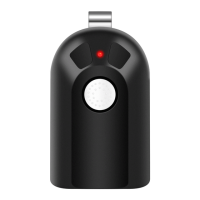
General Information:
Marantec openers only allow ‘one’ set of code inside the operator. The transmitter(s) and/or keypad that came
with the opener are set to this single code.
When adding the universal transmitter to the existing Marantec family, the TEACH & PAIR programming method
should be used. This programming method allows the universal transmitter to listen and then repeat back that
existing transmission, becoming part of that single code family. If you use the LEARN method of programming with a
Marantec opener instead of the TEACH & PAIR method, it will generate a NEW code and WILL WORK with the
opener… BUT the existing transmitter/keypad family will no longer work.
How to program a Marantec opener using the TEACH & PAIR method:
1. Follow the TEACH & PAIR instructions on the previous page for all ID#s EXCEPT #4 – STOP after you have
completed STEP 6. Continue at STEP 7 in the instruction below.
On the Marantec opener:
7. To start the system setup, press and hold the button on the control panel for approximately 5
seconds. Once the display timer counter reaches the count of 5, release the button.
8. The blinking open door icon is displayed first on the control panel screen. Press the button to
move through different options.
When the transmission icon shows on the display, stop pressing the button - the transmission
icon will begin blinking. This indicates the opener is ready to recognize the universal remote.
9. Press the button you prepared on the universal remote one time – the transmission icon will stop
blinking and change to a solid icon. This indicates the remote has been successfully recognized by the
opener.
10. Press the button to save the entry and end the system setup. Press and release the remote
button one time. The opener should run. The display will look like this after setup is completed:



 To Previous Page