English
-8-
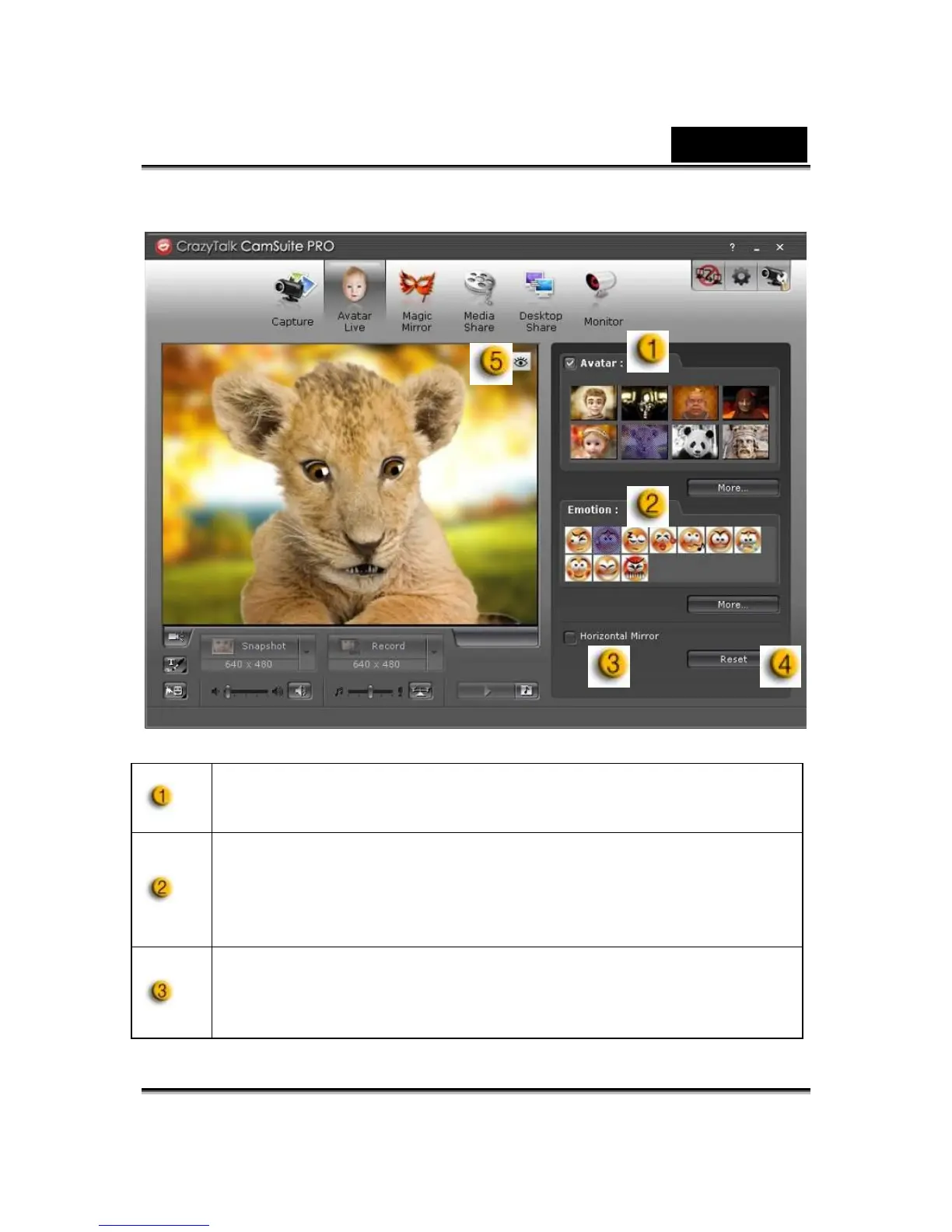
Avatar Live
You can use the selected avatar for video chats with your friends.
Avatar
You can use default avatars or press more to create your own
avatars.
Emoticons
You are able to add different emotive expressions to your avatar
along with the sound effect. If you are using video conference,
the avatar and emotive animation are both visible to your
conferencing partner.
Horizontal Mirror
Click on the Horizontal box to have the camera window flip
horizontally so that the avatar moves along with your head more
mirror-like.













 To Next Page