Understanding Charge LEDs.
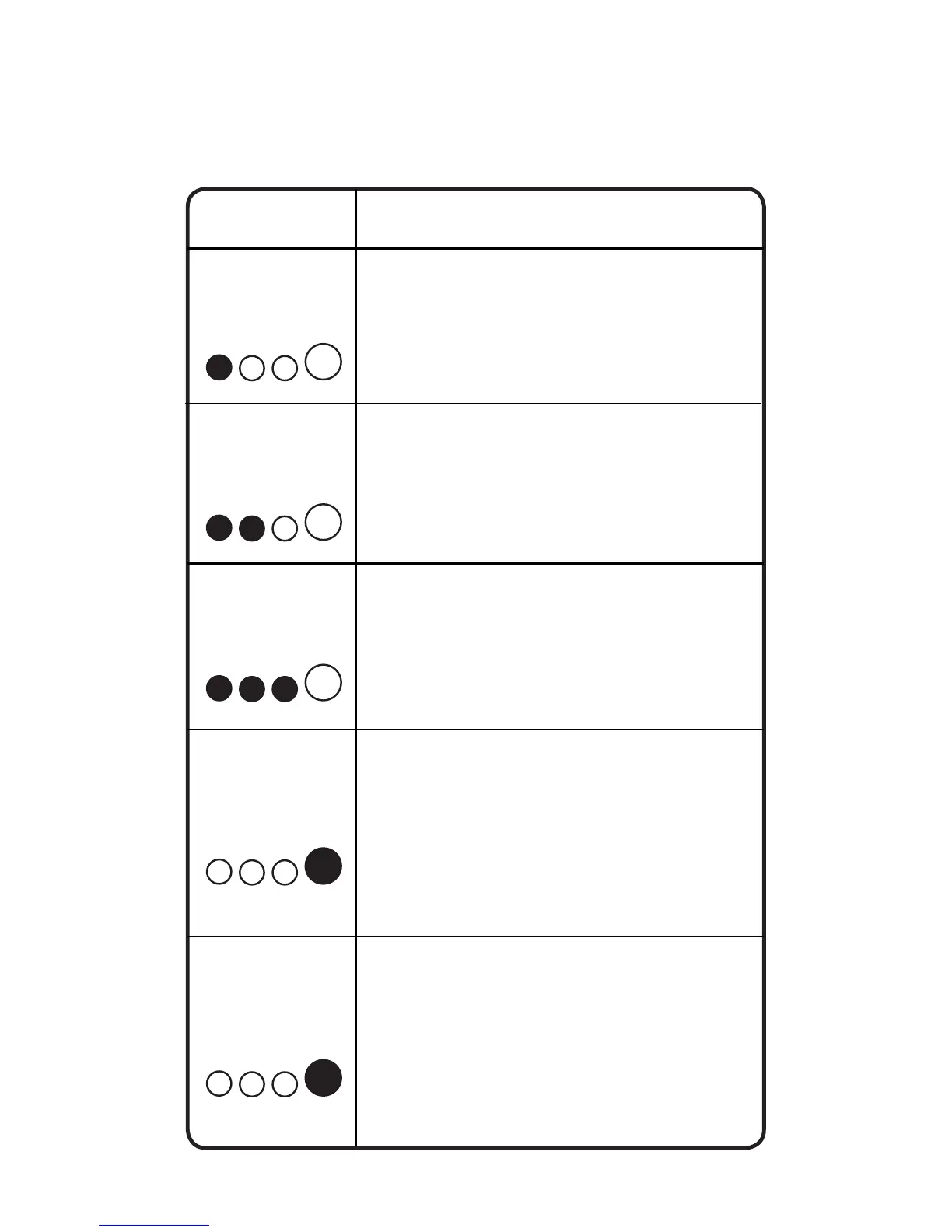
The charger has four (4) Charge LEDs - 25%, 50%, 75%
and 100%. These Charge LEDs indicate the connected
battery(s) state-of-charge (SOC). See the explanation
below:
LED Explanation
Maintenance
Green LED
25%
Red LED
The 25% Charge LED will slowly
pulse “on” and “off”, when the battery
is less than 25% fully charged. When
the battery is 25% charged, the red
Charge LED will be solid.
50%
Red LED
During maintenance charging, the
100% Charge LED will pulse “on”
and “off” slowly. When the battery is
topped off and fully charged again,
the 100% Charge LED will turn
solid green. The charger can be left
connected to the battery indenitely.
75%
Orange LED
The 50% Charge LED will slowly
pulse “on” and “off”, when the battery
is less than 50% fully charged. When
the battery is 50% charged, the red
Charge LED will be solid.
The 75% Charge LED will slowly
pulse “on” and “off”, when the battery
is less than 75% fully charged. When
the battery is 75% charged, the
orange Charge LED will be solid.
The 100% Charge LED will slowly
pulse “on” and “off”, when the battery
is less than 100% fully charged. When
the battery is fully charged, the green
LED will be solid, and the 25%, 50%
and 75% Charge LEDs will turn “off”.
100%
Green LED
25% 50% 75% 100%
25% 50% 75% 100%
25% 50% 75% 100%
25% 50% 75% 100%
25% 50% 75% 100%


 To Next Page