Home
Genius
Home Cinema speakers
GHT-511D
Page 9
Genius GHT-511D - Page 9
14 pages
Manual
Save Page as PDF
To Next Page
To Next Page
To Previous Page
To Previous Page
Loading...
S
e
r
v
i
c
e
M
a
n
u
a
l
St
e
p
5
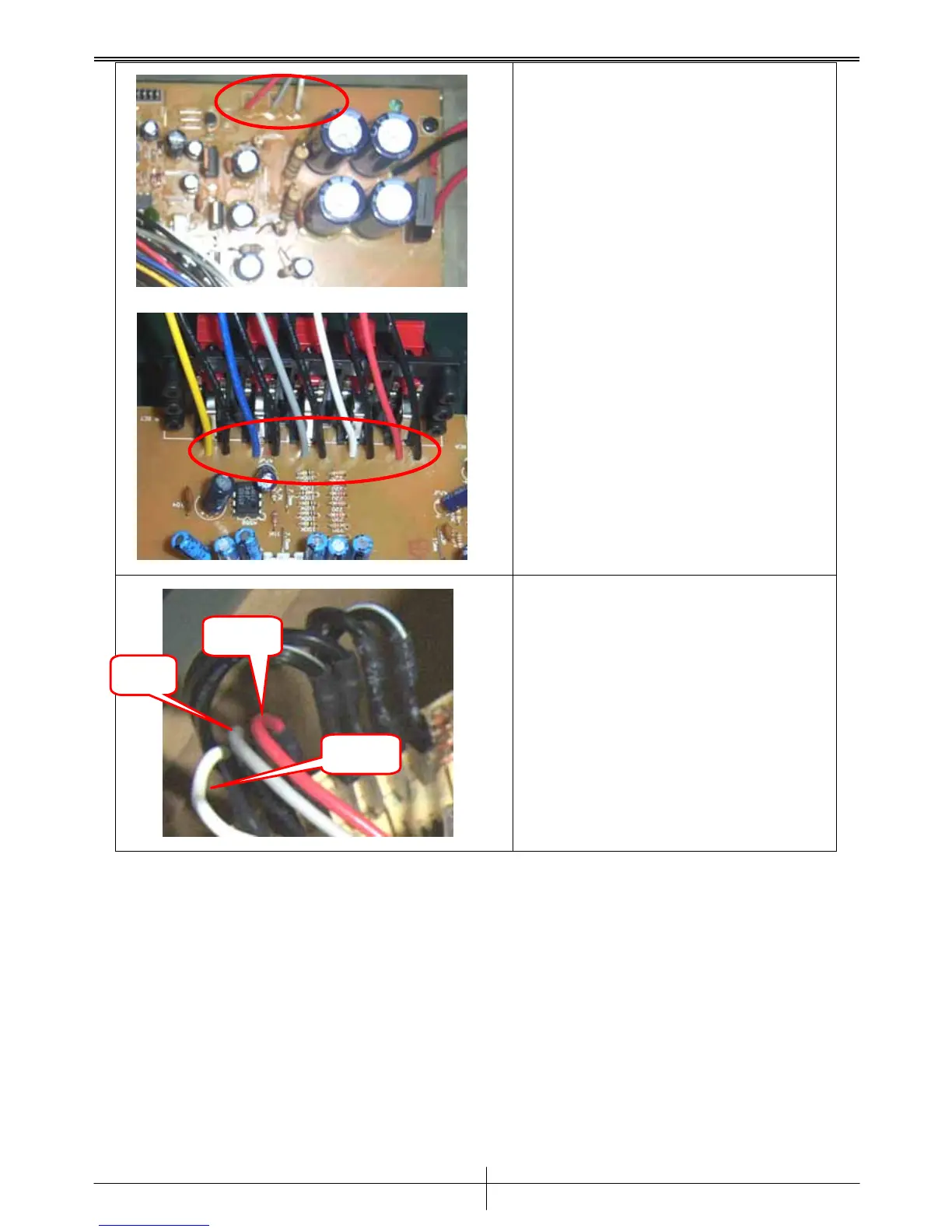
Unsolder the wires on Power
Supply PCBA.
And remove the
wires.
*Mark the position of wires
St
e
p
6
Disconnect the 3 cables. *T
o
install the Power Supply PCBA,
reverse the steps shown above.
Red
Grey
White
V
ersion 1.0
P
age 8
8
10
Table of Contents
Main Page
Default Chapter
2
Table of Contents
2
Chapter 1. INTRODUCTION
3
Function Block
3
Chapter 2. Troubleshooting Guide
4
Chapter 3. Removal and Replacement
5
Disassemble & Assemble the Fuse
5
Disassemble & Assemble the Rear Cover
6
Disassemble & Assemble Amplifier PCBA (SUB)
7
Disassemble & Assemble the Power Supply PCBA
8
Disassemble & Assemble the Decoder Board
10
Chapter 4. Testing Procedures
11
Chapter 5. Important Notes
12
Packing Requirement for Sending the PCB Assembly
12
Short of Spare Parts While Repairing a Speaker
12
Chapter 6. Parts List (Vender's Number)
13
Chapter 7. Tools
14
Related product manuals
Genius GHT-511
13 pages


 To Next Page