English
-36-
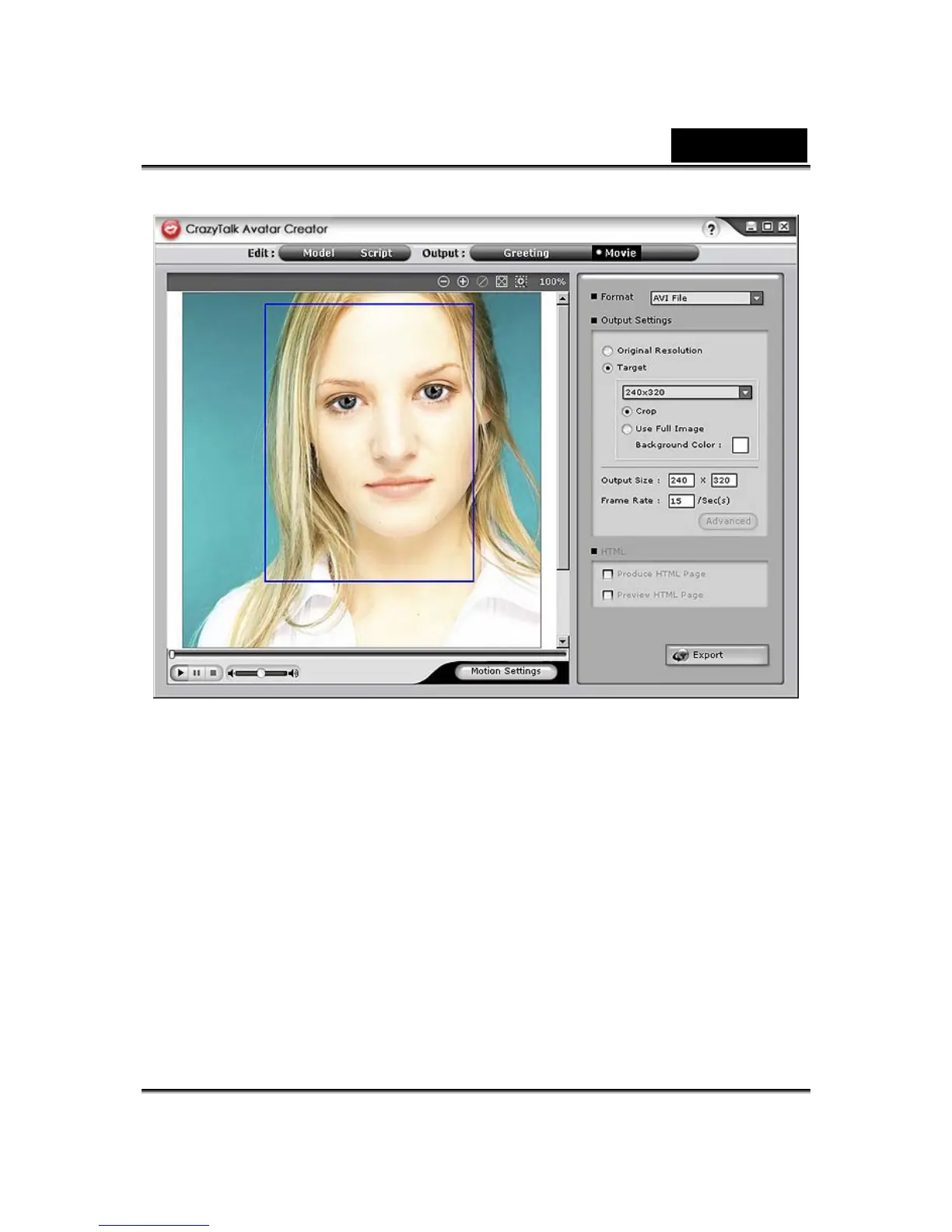
To export movie, do the following:
1. Select a CrazyTalk Avatar Creator model with facial features,
motions and expressions specified.
2. Create a CrazyTalk Avatar Creator script to specify the animation
and speech.
3. Click Output/Movie tab.
4. A crop box shows. Move and resize it (drag the box or edit the
Output Size options) to the desired portion of the image for
exporting.
5. Click the format drop-down list box to select the media format.
6. Check the Original Resolution to retain the same resolution as
the source file.















 To Next Page