ENGLISH
1
System requirements:
• Windows Vista/XP x64/XP/2000.
• CD ROM or DVD ROM drive.
Hardware Installation:
1. Turn off your PC.
2. Connect the USB keyboard to your PC’s USB port.
3. Insert Keyboard Microphone Plug into your PC’s Microphone
port.
4. Insert Keyboard Earphone Plug into your PC’s Earphone port.
Software Installation:
1. Put the CD driver into your CD drive.
2. The system will run the installation automatically. However if the
system fails to perform the auto installation process, just simply
go to My Computer and find D:\ (D is the drive where your CD
drive is), then double click it to run the driver manually.
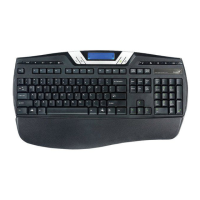
Hotkey definition:
Send calculator data to PC screen
Calculator/PC Mode switch: Switch Calculator/PC Mode
Activate Internet call such as VOIP or Skype program
Screen Lock: Lock PC Screen

 Need help?



 To Next Page
 General