English
-11-
Zoom
Item Description
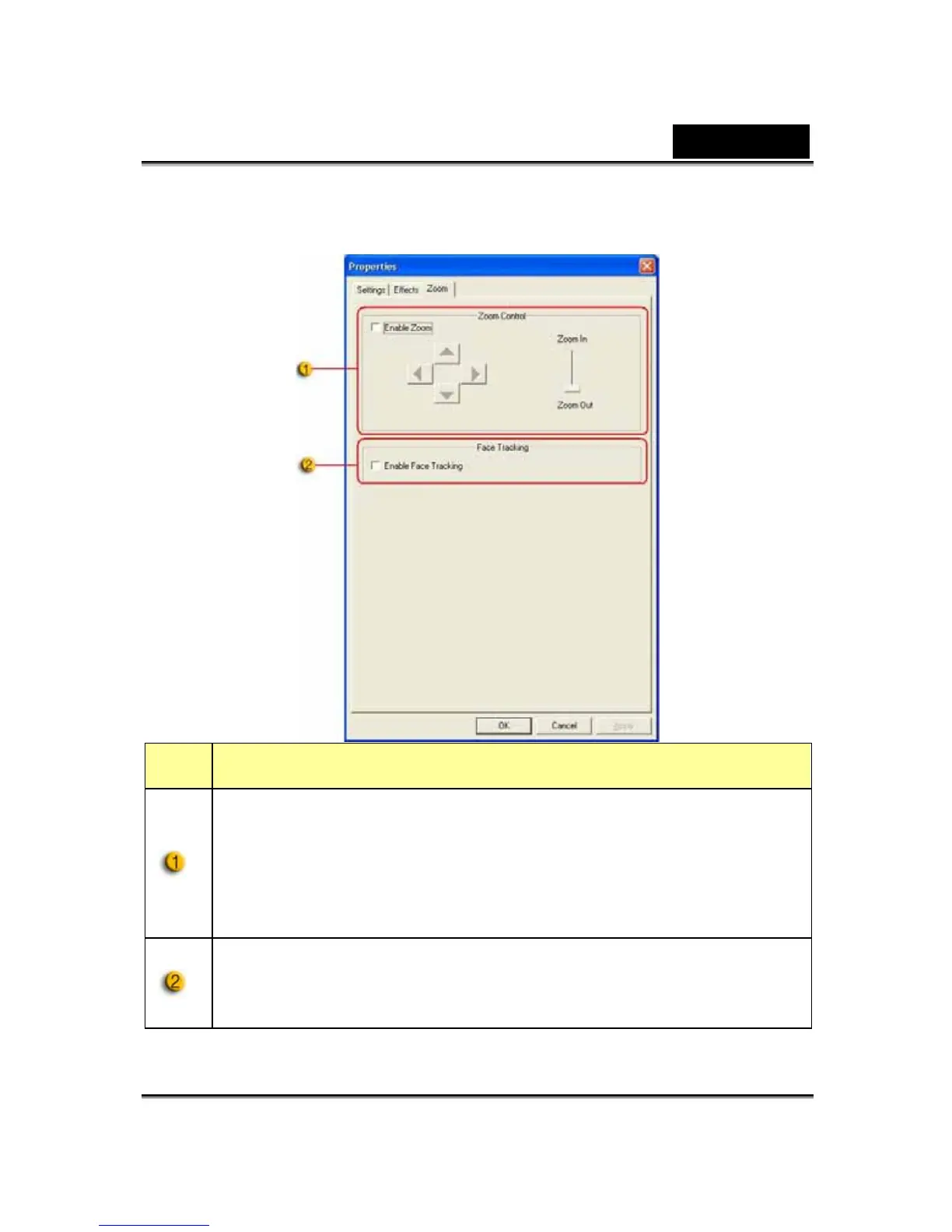
In this section, you can enable the “Zoom” function. Please
select “Enable Zoom” before zooming.
-Scroll the bar to zoom in or zoom out
-Press the 4-direction button to move the image upward,
downward, leftward, and rightward.
When you are watching the display, your face should appear in
the acquired image. In an auto stereoscopic display, the image
will auto digital zoom.













 To Next Page