English
-22-
Color Level : Adjust the brightness, contrast,
hue, and saturation levels of the image manually.
Color Balance : Adjust the color balance
manually.
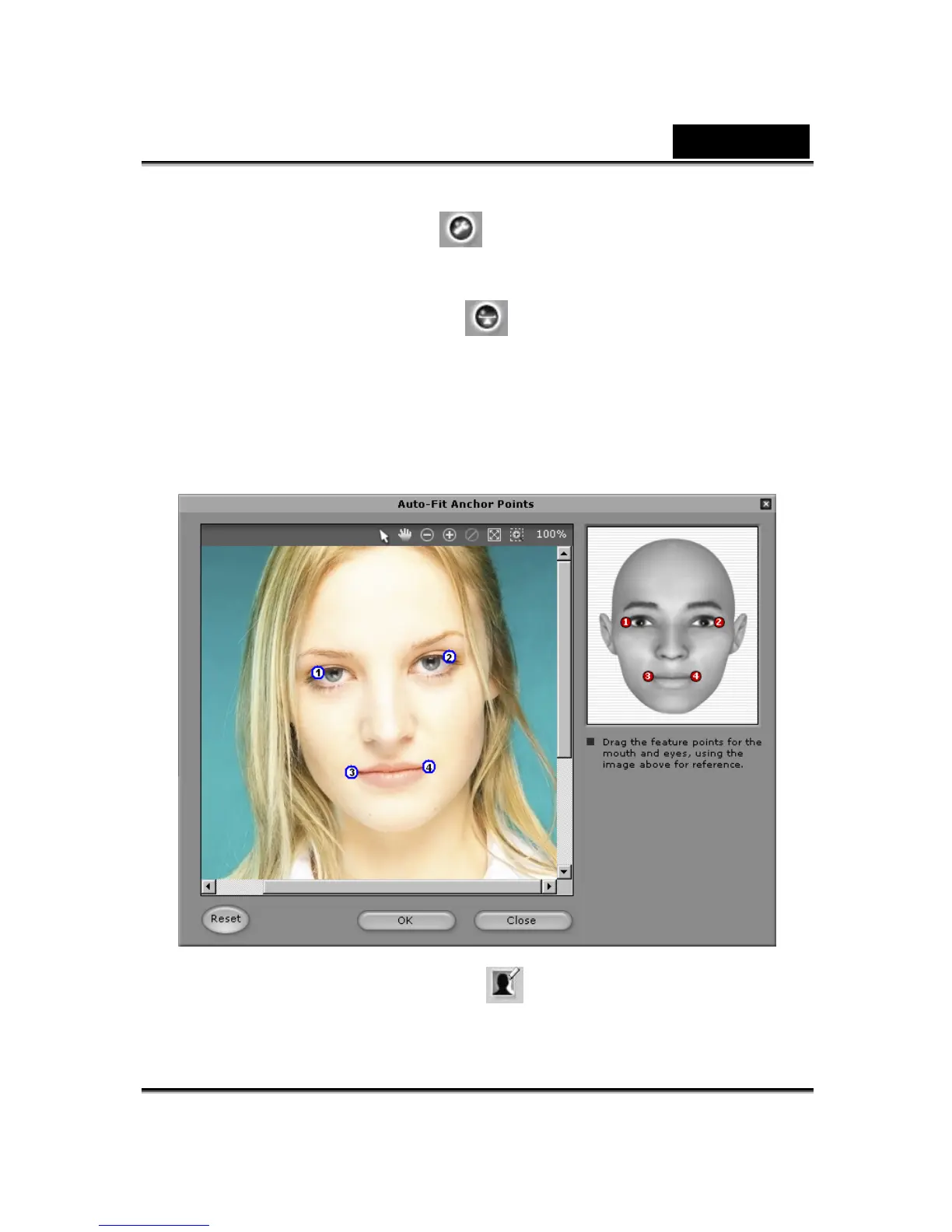
3. Click Next and the Auto-Fit Anchor Points dialog box pops up.
Follow the guide sample image at the right side to place the 4
points for the fitting process.
4. Background Mask Editing : Modify the mask of the image
(also known as alpha channel) to specify the none-effect part of
the image.














 To Next Page