ENGLISH
Connecting the SW-G2.1 2000 Speakers
To prevent malfunction and/or damage to speakers or other devices, always turn
down the volume, and turn off the power on all devices before making any
connections.
1. Place the satellite speakers next to the monitor, one on either side.
2. Place the controller within reaching distance.
3. Plug the subwoofer and satellite speaker cables (A, B & C) into the Controller’s
subwoofer, left and right speaker output jacks.
4. Before connecting the power cable, make sure the controller’s power knob is in
the “off” or “out” position. Plug the AC power cord (D) into a standard household
electrical outlet.
5. For TV/DVD/VCD/Home Audio/Game console: (Figure 1)
Insert the 3.5mm stereo plug cable (E) into the 3.5mm socket “AUX” on the
controller and then connect the red/white RCA plug to the two RCA sockets of
TV/DVD/VCD/Home Audio/Game consoles.
6. For PC/MP3/CD or other stereo devices: (Figure 2)
Insert the RCA plugs (white and red) of the audio cable (E) into the RCA socket (E)
on the controller and insert the 3.5mm plug to the audio devices that use a
standard 3.5mm socket, such as desktops, notebooks, CD players, MP3 player
etc.
7. For Internet phone (Figure 3)
-Plug the 3.5mm plugs of the stereo cables (E/F) to the Mic and AUX jacks on the
controller.
-Plug the other side of the stereo cables into the sound card.
-The plugs of the headset can be plugged into the Mic (5) and earphone (4) jacks
on the front of the controller.
8. When you finish the connection, turn on the “Power Switch” on the back of the
controller and press the “STANDBY” button on the front panel of the controller to
start the system.

 Need help?
 General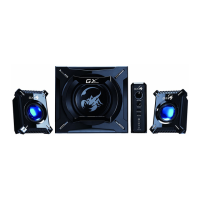

 To Next Page
