Left Ear
Change Waveform/
SmartCase mic
3
Light on the Waveform
On
Pairing
Left Right Syncing
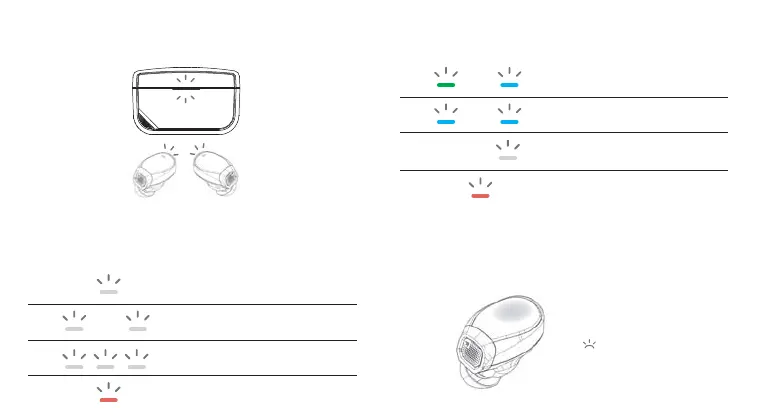
6. Lights Indicator
Location of the lights
The lights are located on the SmartCase and Waveform.
When connect directly:
7. Smartcase Microphone
By delegating the microphone function to the case, you no
longer need to compensate audio quality for voice chat.
After connecting to the smartcase.
Low Battery
Status
Light on the SmartCase
Charging
Breathing
Connecting to Waveform
Waveform DualStream
Connected to Waveform
Searching for Waveform DualStream
Battery lower than 15%
Status
When SmartCase is connected via type C cable:


 To Next Page
 Loading...