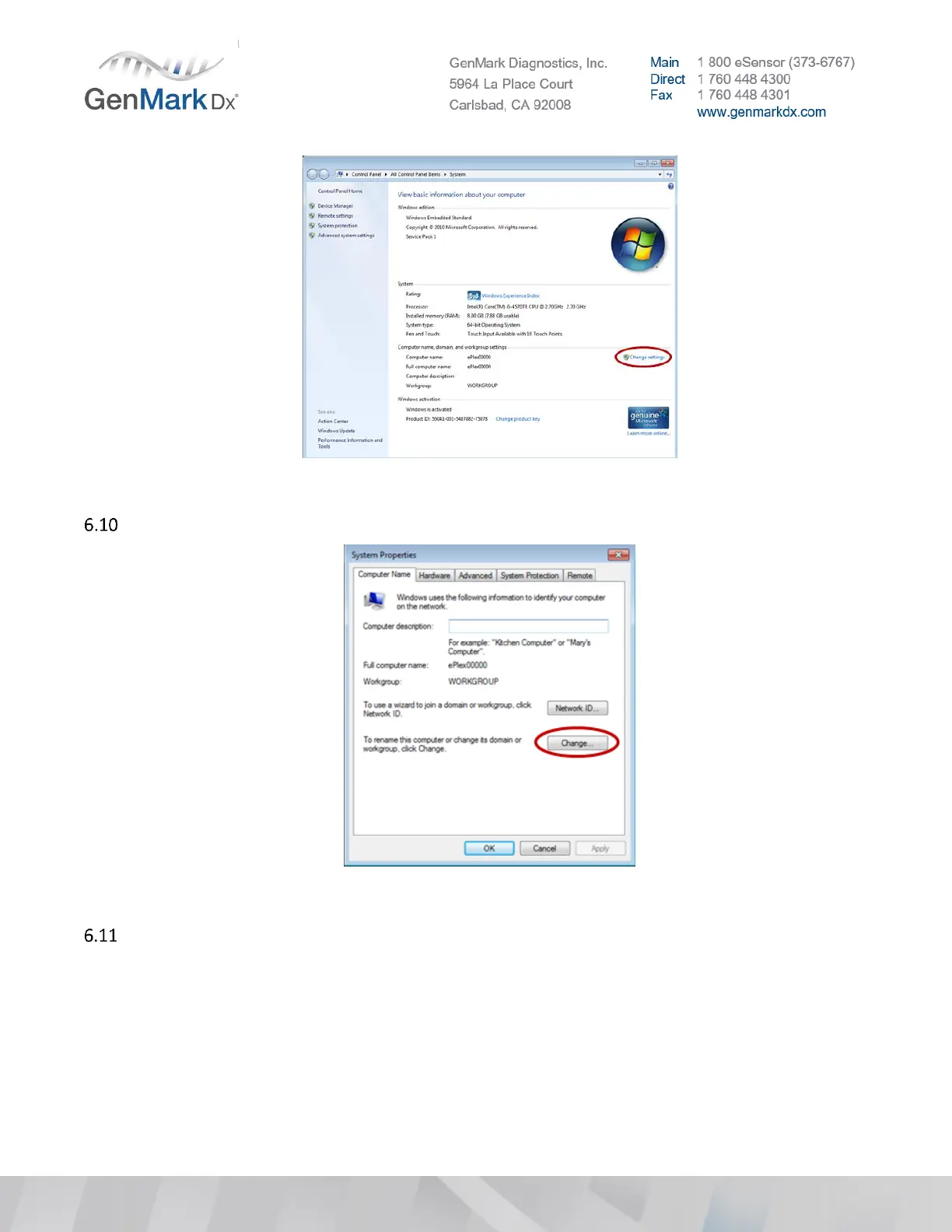
Figure 28 Change System Settings
Under the Computer Name tab, click Change to open the Computer Name/Domain Changes window.
Figure 29 Computer Name
Change the computer name as defined in the naming convention below.
• Default Computer Name: ePlex00000
• New Computer Name: i.e. ePlex1640100124 (must be changed to the 10-digit Base serial number)



 To Next Page