Install GLI
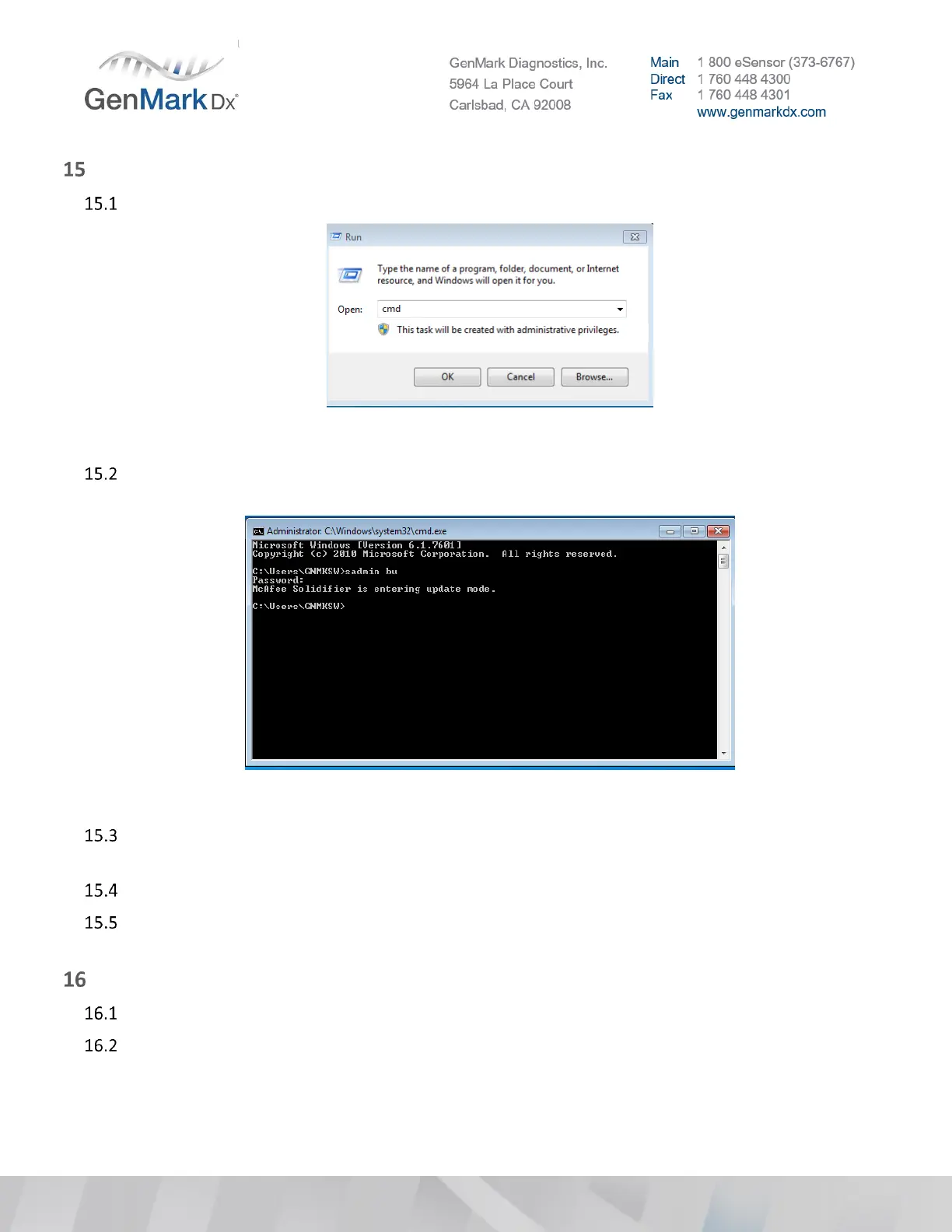
Open command prompt by typing cmd on Run task
Figure 39 Run Command
While in command prompt, type sadmin bu to enable McAfee. Password is Genmark5964. Verify
that McAfee Solidifier is entering update mode
Figure 40 Command Prompt
Uninstall current GLI by going to Start > Control Panel > Programs and Features and select GenMark
LIS Interchange
Select Uninstall and follow instructions
Install latest GLI by opening path to GLI installation file (located on an external drive) and double
clicking on the GLISetup.exe installation file and follow onscreen instructions.
Install Microsoft Patch Update
Disconnect network (unplug Ethernet cable) if connected
Go to Control Panel > Administrative Tools and double click on Services



 To Next Page