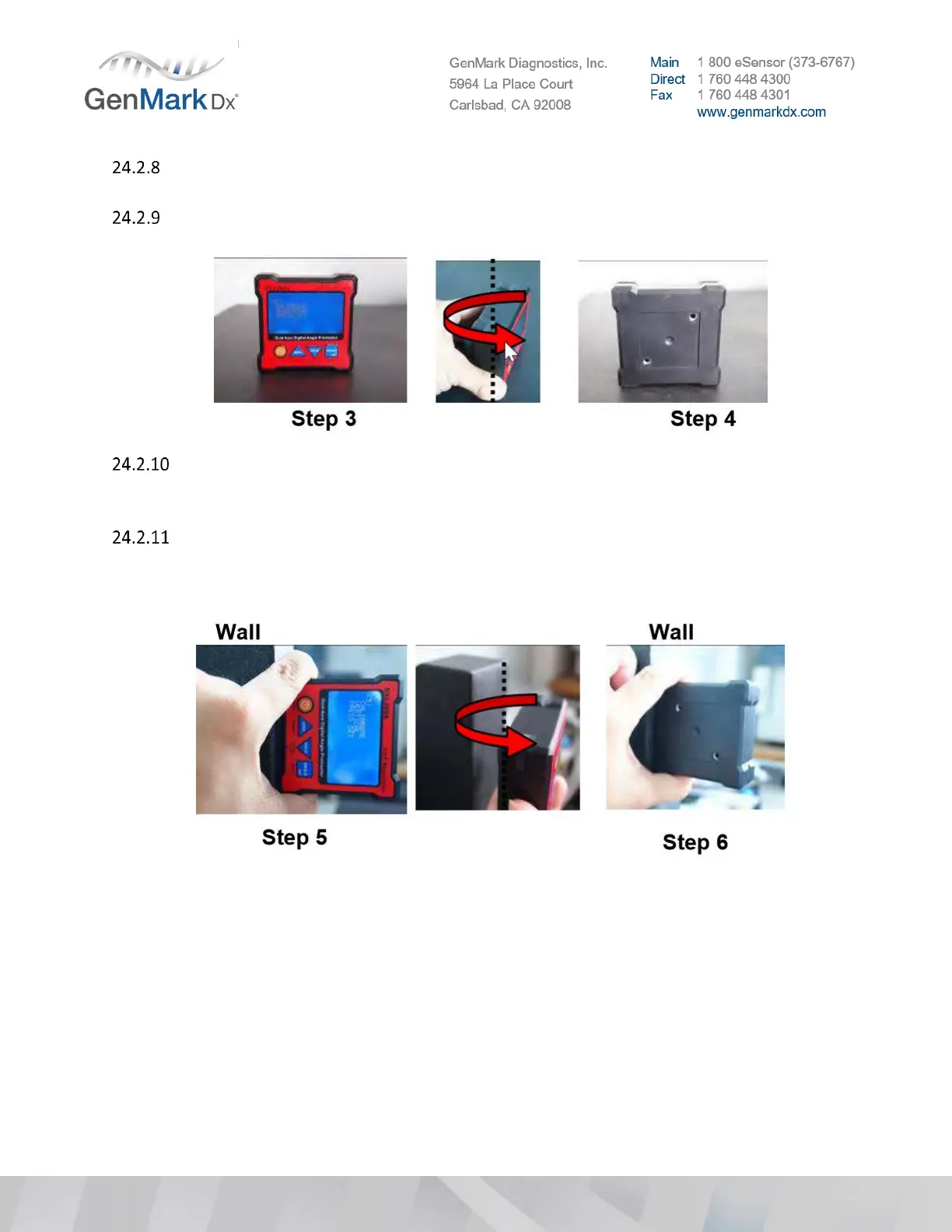
STEP 3: LCD display ‘CALIBRATE HORIZONTAL PRESS SET’. Place the unit horizontal like the
picture STEP 3 and then press SET, wait until the beep sound stop.
STEP 4: Then rotate the unit 180° on same plane at the same place. Press the SET button again
and wait for the beeping to finish.
LCD display ‘CALIBRATE VERTICAL PRESS SET’ hold on a vertical surface like a window with
Power Orange button in the upper left side, hold on a flat wall. And then press SET Key. Wait
for the “Beep” sound stop.
Then rotate the unit 180° with the other side against the same place of wall (ON/OFF Key at
upper side). Press the SET button again and wait for the beeping to finish. Now, the LCD
should go back to the selection menu. The calibration is done, by selecting Back to go back
for normal operation.



 To Previous Page