30
English
Functional Characteristics
For example, when traveling south-
wards, the chart shows, on the right
side of the boat, what is actually located
on the left side, and vice versa.
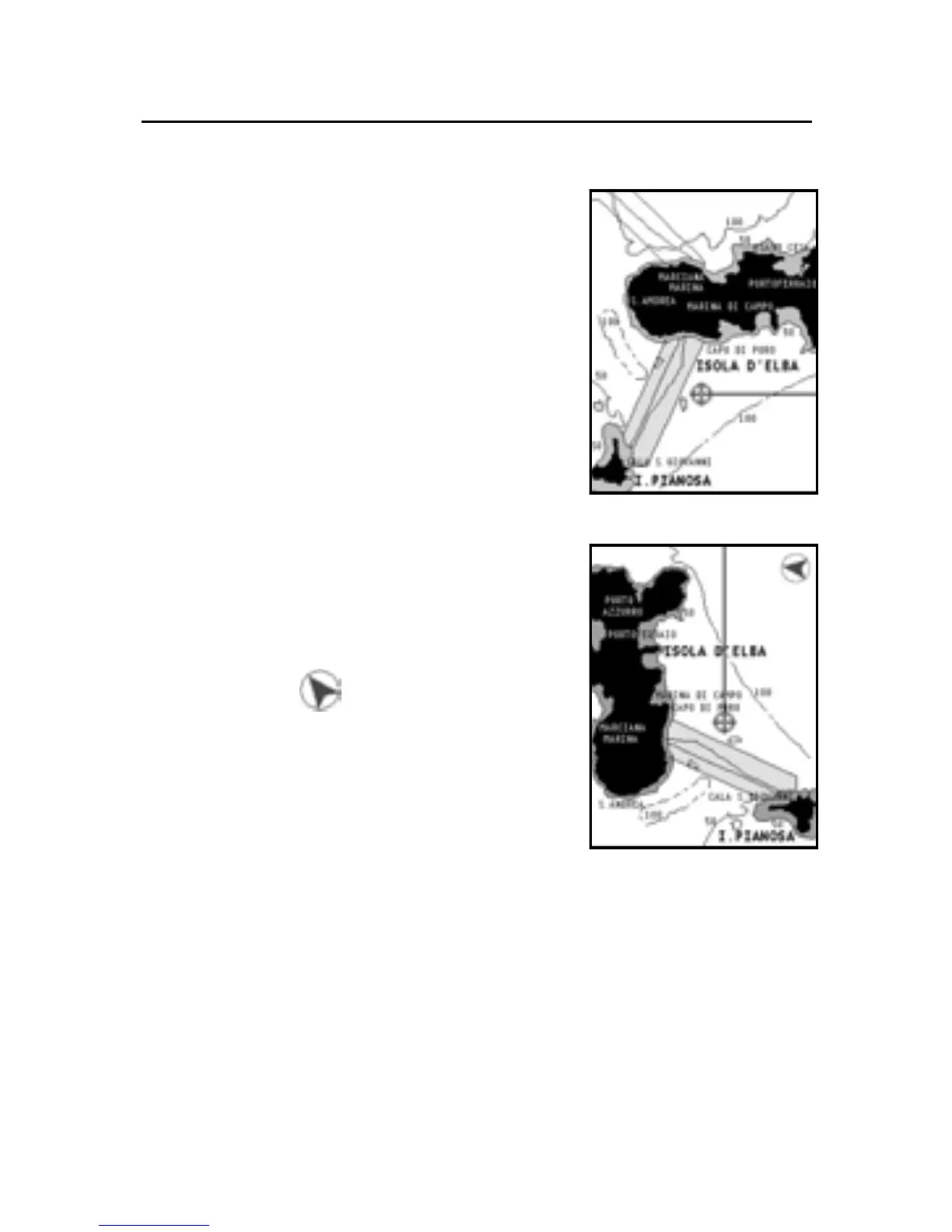
The Chart Rotation function allows ro-
tating the electronic chart displayed ac-
cording to the plotted route (COG -
Course Over Ground) as detected by the
GPS receiver. Since the COG value var-
ies continuously, a filter has been in-
serted to prevent the chart from bounc-
ing. To activate the Chart Rotation func-
tion, press GOTO to display the menu,
select SETUP, then CHART ROTATION
and ON.
A message will prompt the user to se-
lect the requested maximum range be-
fore activating the chart rotation.
The northern direction will be indicated
by the symbol .
NOTE: The Chart Rotation function is automatically
suspended as the Photo Overlay function is enabled.
Chart details
This window allows enabling and dis-
abling the details shown on the chart.
The options available are the following:
• STD: Minimum functions to ensure safety.
• User: The user can enable or disable functions, although
this option does not allow disabling the safety minimum
details.
• ALL: All details are enabled.
Without rotation
With rotation



 To Next Page