50
English
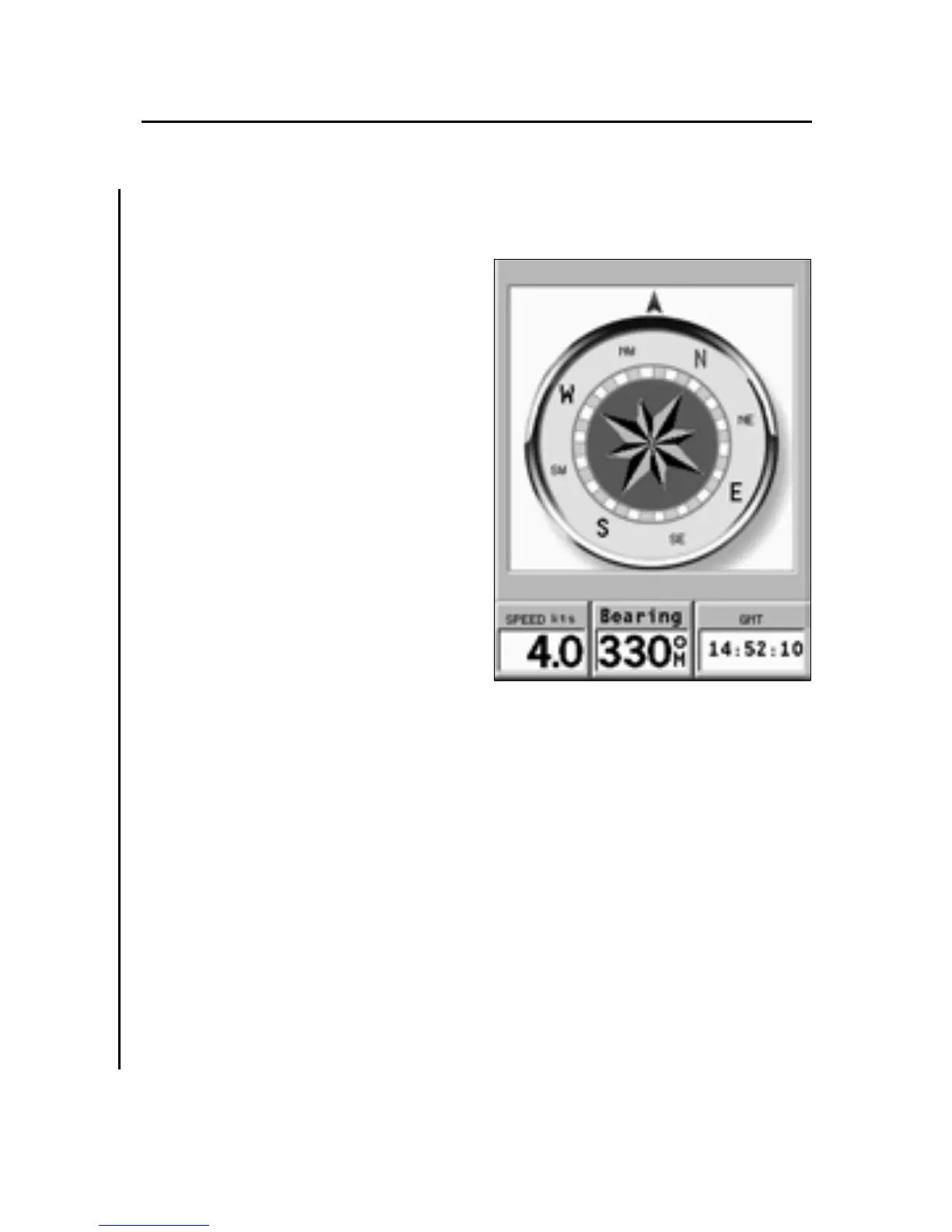
COMPASS WINDOW
This window shows the follow-
ing data:
• On the analog dial, the mag-
netic North direction: the
data is provided by the built-
in magnetic compass.
• Speed provided by the GPS
device.
• Bearing, that is the angle
between the North and the
direction the unit is point-
ing at; also this data is pro-
vided by the built-in mag-
netic compass as well.
• Time provided by the satel-
lites tracked by the GPS.
The Setup menu allows selecting:
• Speed unit.
• Magnetic or true bearing. By selecting magnetic bearing,
North and bearing data are provided directly by the com-
pass. By selecting true bearing, these data are referred to
the geographical north, instead of magnetic. Since this
calculation requires that the geographical position is
known, the true bearing option is available only when the
GPS receiver transmits a valid fix.
• Time (Local or GMT).
NOTE: To prevent the built-in compass from providing incorrect values, install the unit
as far as possible from magnetic field sources, such as engines or electric transform-
ers, or parts containing ferromagnetic material (iron and steel).
Compass Window
3S



 To Next Page