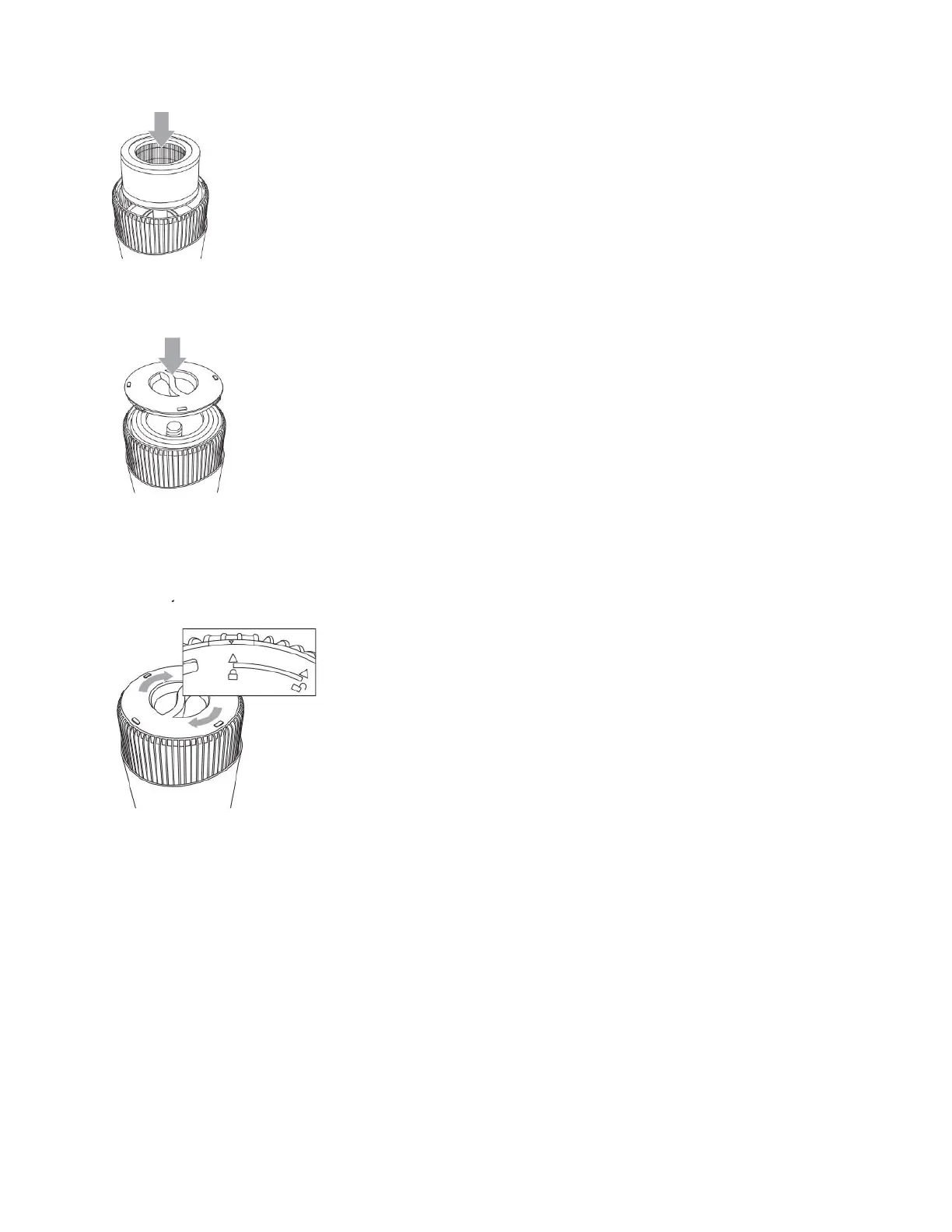
8. Reset the filter indicator by holding the filter reset button for 5 seconds.
7. Line up the unlock icon on the bottom cover with the arrow on the edge of the base of the unit. Twist
the bottom cover to the right to lock, lining up the lock icon with the arrow on the edge of the base of the
unit.
REMOVE AND REPLACE UV-C BULB
CHANGE BULB INDICATOR
The UV-C light will begin to flash continuously when it’s time to replace the UV-C bulb.
Replace the bulb according to the directions then press the UV-C control button and hold
for 5 seconds to reset the UV-C indicator light.
CHANGING THE UV-C BULB
1. The UV-C bulb is located in a compartment in the center of the purifier. To access, first follow the
instructions to remove the filter.
2. After removing the Filter use a Philips head screw driver to remove two (2) Screws and detach the UV-



 To Next Page