Checking the Transmission Result (TX File Status)
17
2
Checking the Transmission Result (TX File
Status)
This function let you check up on the
last 50 completed transmissions with-
out having to print the Journal. You
can browse through the transmitted
messages on the display.
Limitation
❒ Only the last 50 communications
are displayed. Earlier transmis-
sions are not available.
❒ If a transmission is completed
while you are using this function,
the result will not be shown until
you exit TX File Status and start it
again.
A
Make sure that the machine is in
Facsimile mode and the standby
display is shown.
B
Press the {
{{
{Job Information}
}}
} key.
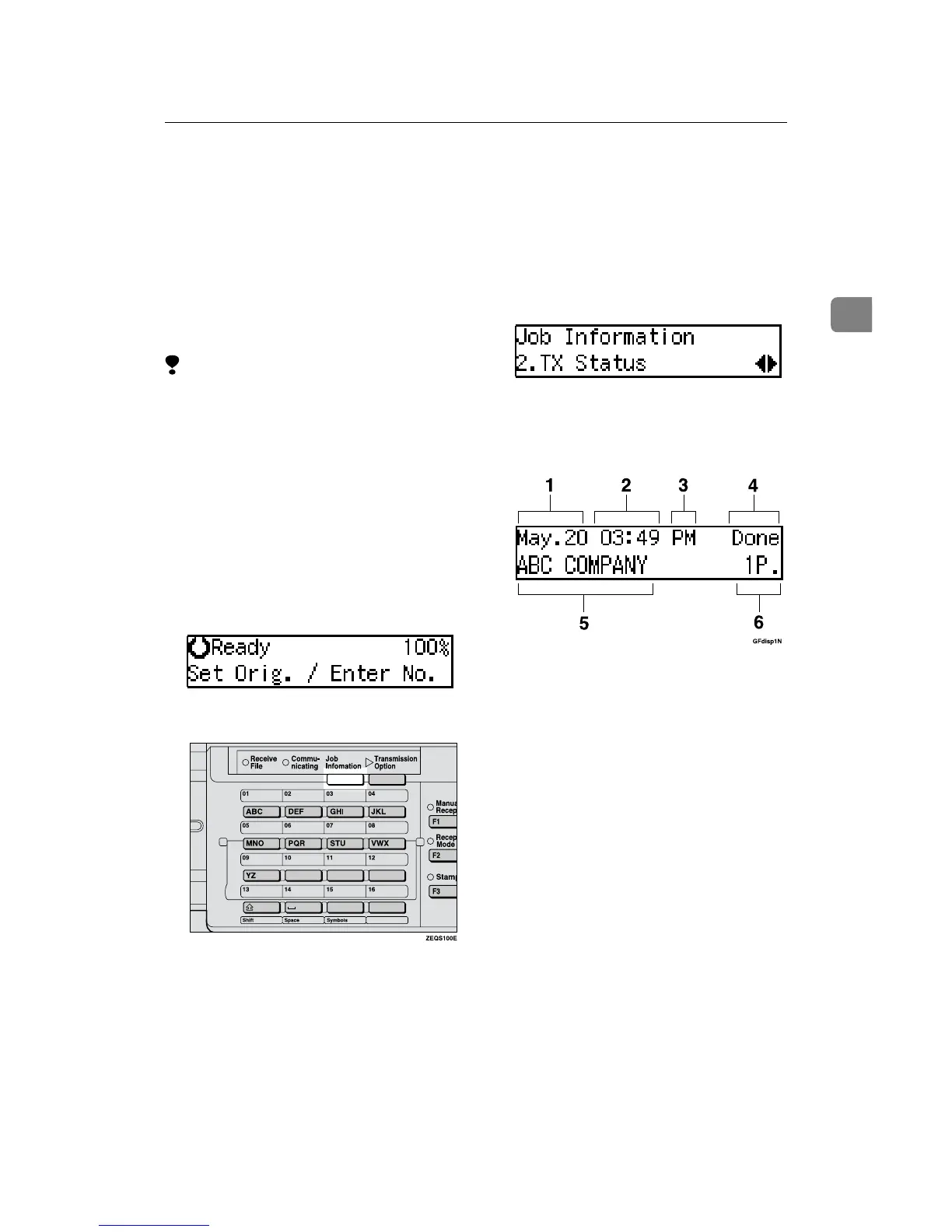
The Information menu is shown.
C
Press 0
00
0 or 1
11
1 until "2. TX Status"
is displayed and press the {
{{
{OK}
}}
}
key.
D
Press 0
00
0 or 1
11
1 to scroll through the
messages.
1.
Date
2.
Time
3.
AM/PM
4.
Transmission result
5.
Destination name
6.
Page
E
Press the {
{{
{OK}
}}
} key.
The machine returns to standby
display.



 To Next Page