Job Information
18
2
Checking the Reception Result (RX File
Status)
This function let you check up on the
last 50 messages received without
having to print the Journal. You can
browse through the received messag-
es on the display.
Limitation
❒ Only the last 50 communications
are displayed. Earlier messages are
not available.
❒ If a message is received while you
are using this function, the result
will not be shown until you exit RX
File Status and start it again.
A
Make sure that the machine is in
Facsimile mode and the standby
display is shown.
B
Press the {
{{
{Job Information}
}}
} key.
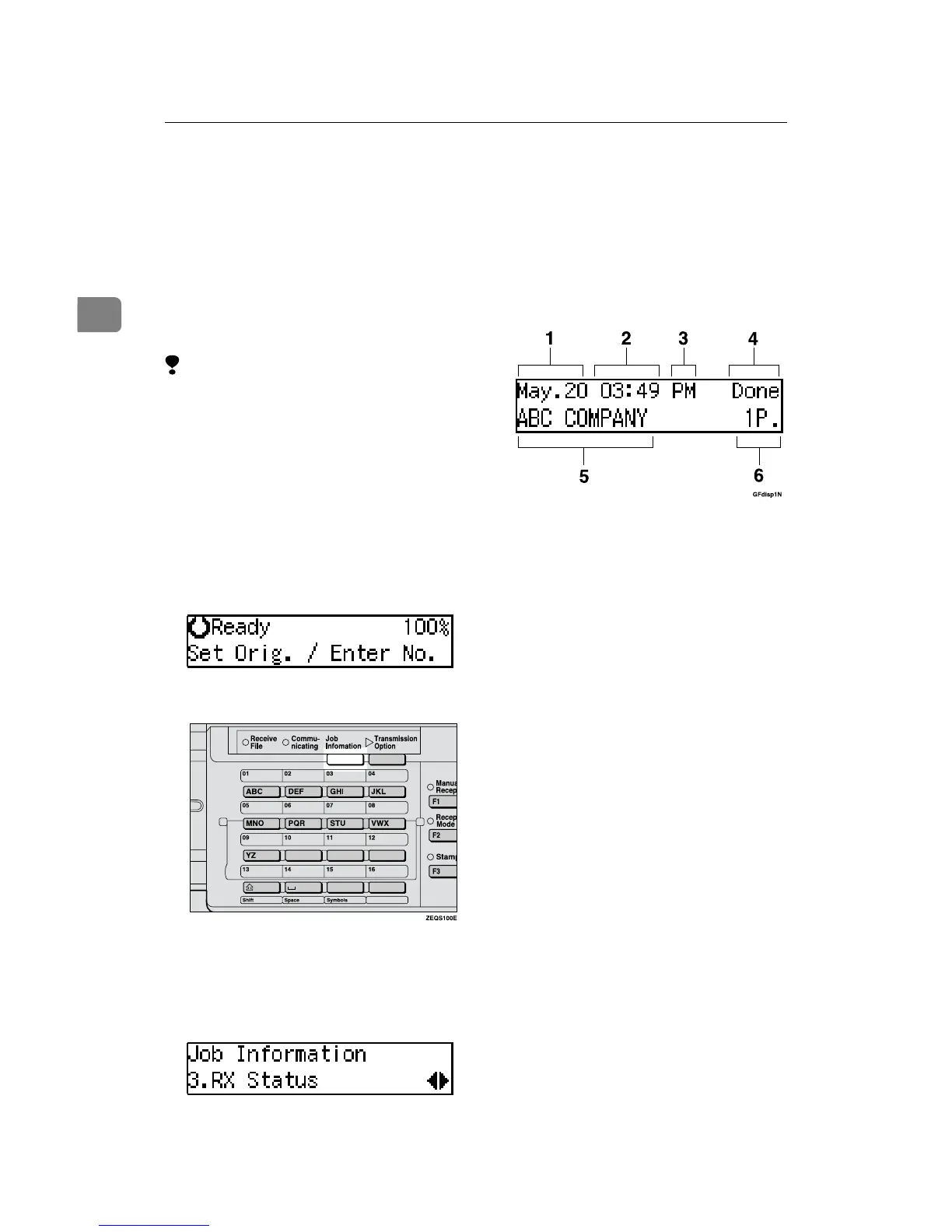
The Information menu is shown.
C
Press 0
00
0 or 1
11
1 until "3. RX Status"
is displayed and press the {
{{
{OK}
}}
}
key.
D
Press 0
00
0 or 1
11
1 to scroll through the
messages.
1.
Date
2.
Time
3.
AM/PM
4.
Reception Result
5.
Recipient
6.
Page
E
Press the {
{{
{OK}
}}
} key.
The machine returns to standby
display.



 To Next Page