Disconnection and Reconnection
(The following procedures should be carried out by a suitably qualified
person to avoid expensive mistakes).
Steps in Disconnection
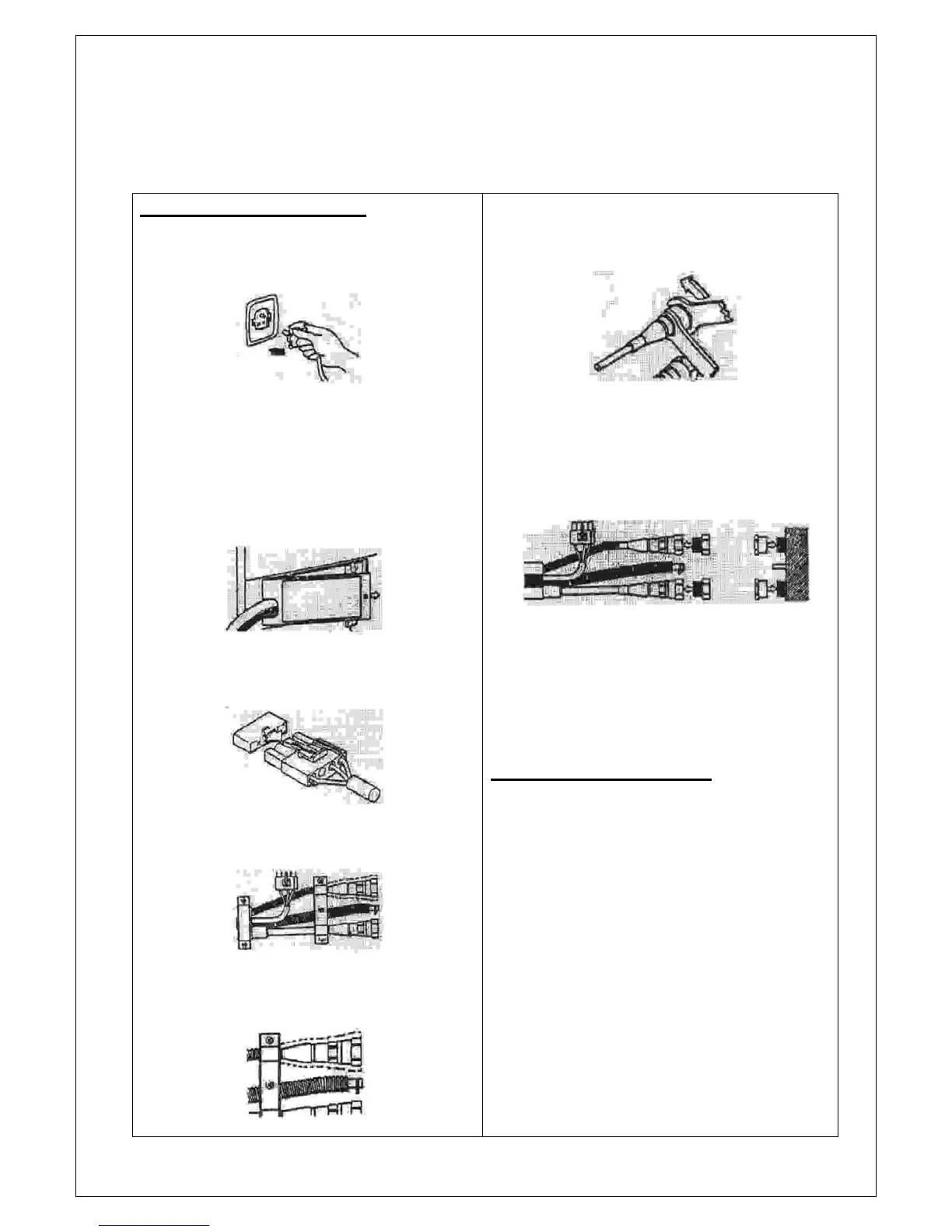
1. Turn off the air conditioner and remove the
plug from the power socket.
Caution
When the machine has been turned off it must be
left to stand for 30 minutes to allow the system to
stabilise before disconnection can be carried out.
2. Use a Phillips-head screwdriver to remove
the cover.
3. Disconnect the electrical connector by
pressing the retaining clips.
4. Remove the metal holding brackets
5. Remove the insulating foam around the
upper connector.
6. Use the 2 spanners provided to disconnect
the 2 pipes.
Caution
Make sure the tubes and connectors are kept level
while disconnecting to avoid leakage of coolant.
7. Screw the protective caps onto the ends of
each pipe after disconnection.
8. Separate the clamping tie on the black
water pipe. Gradually release the water
pipe and place your finger over the end to
prevent water in the tube coming out. Have
a container ready to collect any excess
water from the tube.
---------------------------------------------------------------------
Steps in Reconnection
● Always remember to keep the connecting
pipes level with the connecting point when re-
assembling.
Caution
●
When reconnecting the unit follow the above
steps in reverse.
● Use your fingers to connect the threads and
then tighten fully with the spanners provided.
● After connection, use soap suds to check for
leaks in the coolant pipes.
Please Note
The above procedures should be followed each time
the units are disconnected and reconnected.


 To Next Page
 Loading...