10
Instructions for use
5018610-00 Rev.D Edition 0703
Control panel
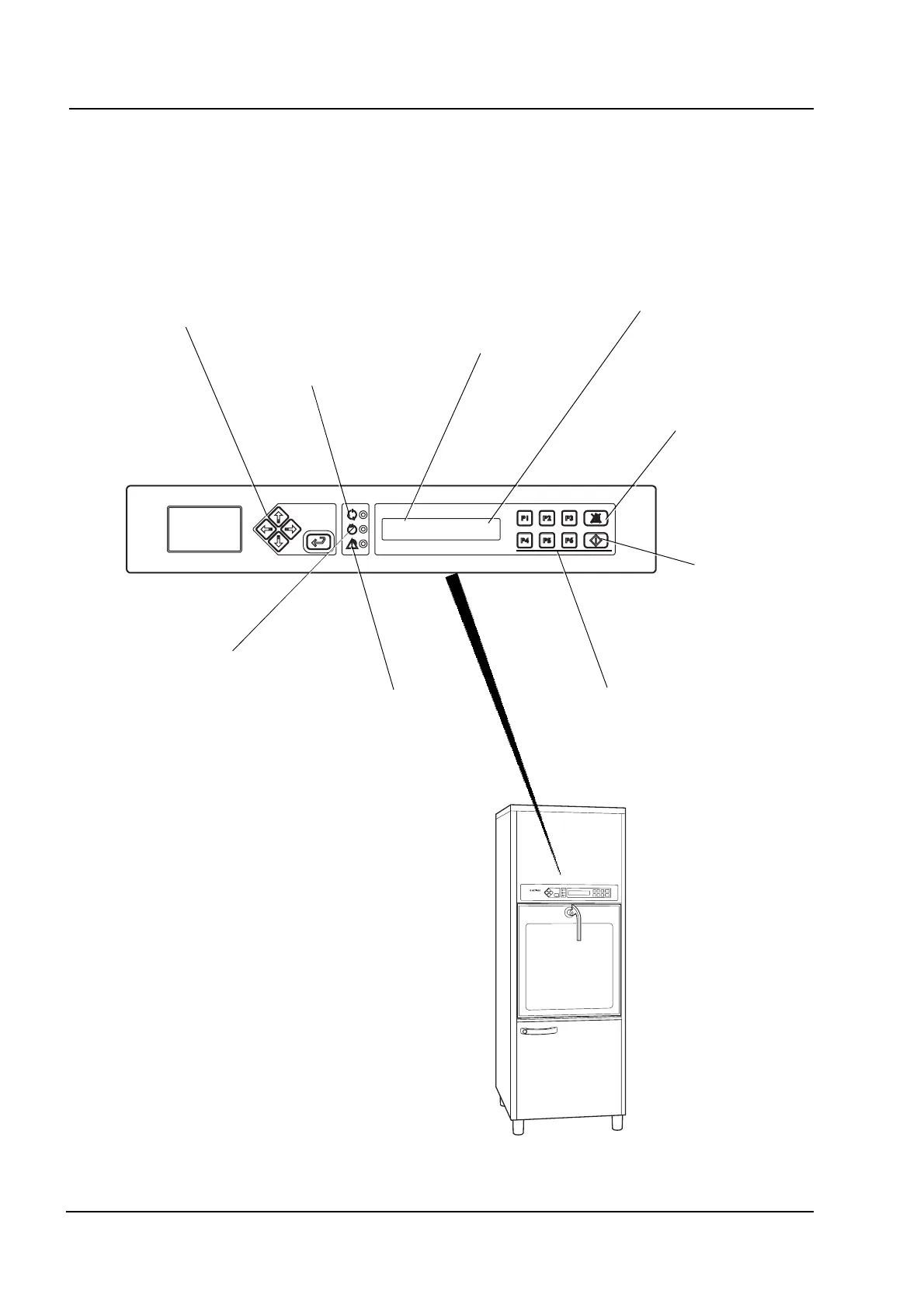
The machine is operated from the control panel above the soiled-side door. The
picture below shows the location of buttons and indicators.
V1624
Green lamp:
Program complete
Yellow lamp:
Program running
Red lamp:
Fault indication
P01 OP-SHORT-D
47.0°C
Program number
Before starting: Chosen program
While running: Program phase
(eg “Rinsing”)
Start button for
washing
programs
Program selection buttons
Menu selection buttons
(see “Service instructions”)
Alarm reset button
Control panel
V1762



 To Next Page