14
3.3 General
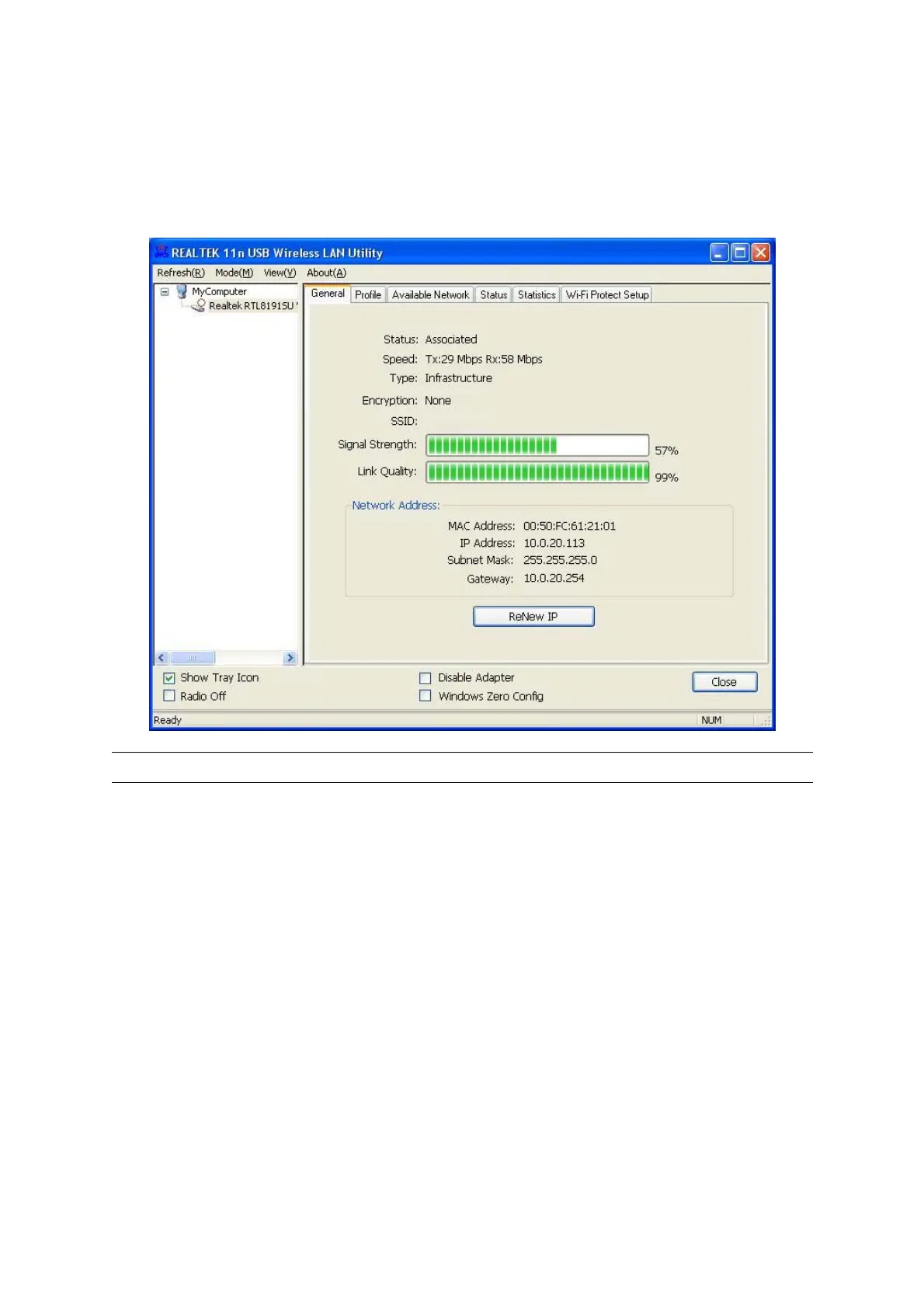
To check the connection status of the adapter, select “General“. This screen shows the information of
Link Speed, Network Type, Encryption Method, SSID, Signal Strength, Link Quality and Network
Address of the adapter.
Parameter Description
Status
It will show the connection status of the adapter.
Speed
It shows the current speed
Type Infrastructure – This operation mode requires the presence of an
802.11 Access Point. All communication is done via the Access
Point or Router. IBSS – Select this mode if you want to connect to
another wireless stations in the Wireless LAN network without
through an Access Point or Router.
IBSS – Select this mode if you want to connect to another
wireless stations in the Wireless LAN network without through an
Access Point or Router.
Encryption It displays the encryption setting of the current connection
including None, WEP, TKIP or AES.



 To Next Page