87
(2) Plug in.
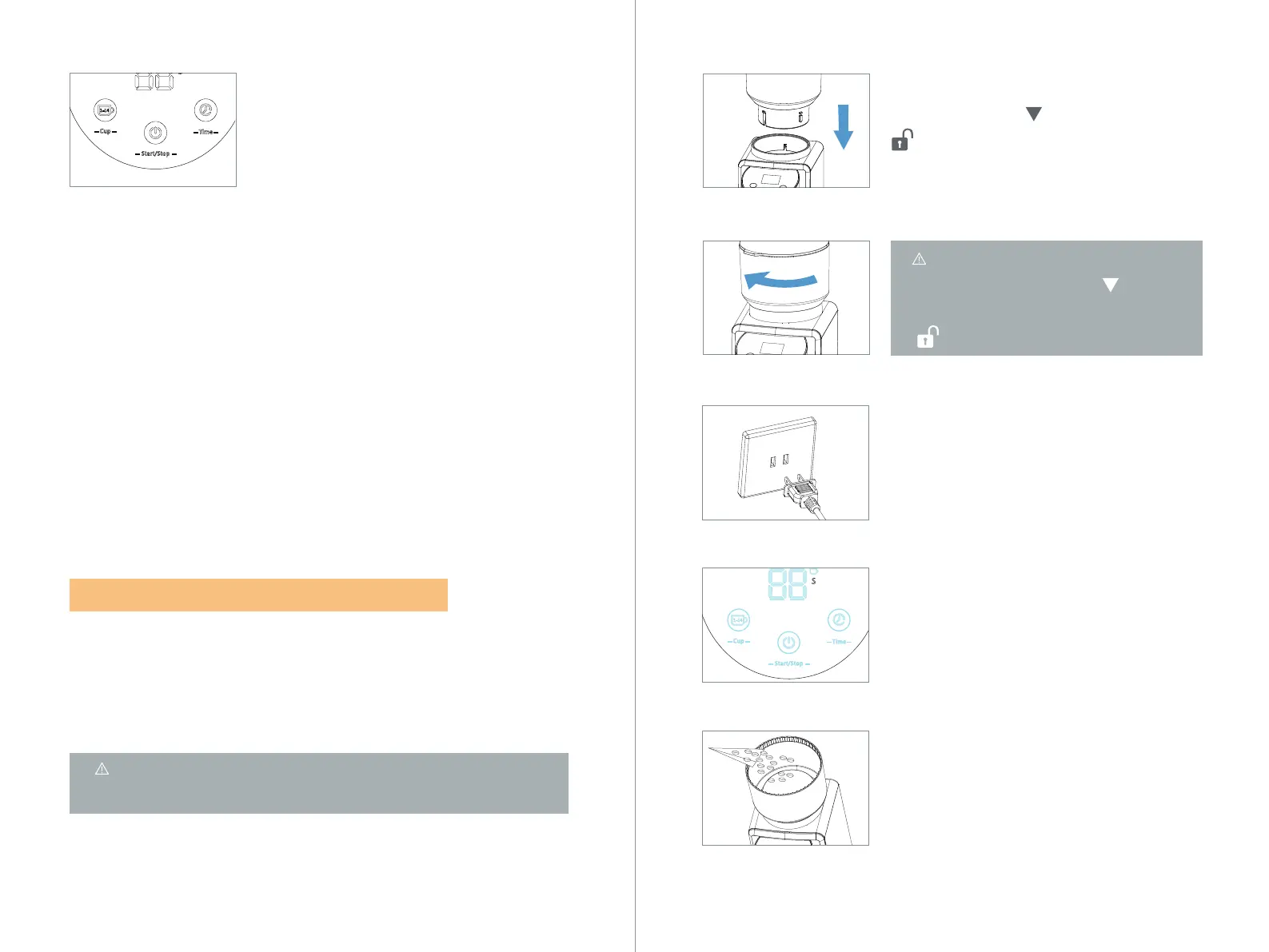
(3) The appliance switch on. ( Three icons
will be light.) After 2 seconds, the machine
will be enter to child lock mode.
(4) Open the hopper lid ❺ . Add beans into
the bean hopper ❻. (The maximum quantity
is 8.5oz/240g)
(1) Assemble the bean hopper ❻ by match
the white arrow “ ” with the white lock“
”mark in the ring. Rotate the bean hopper
❻ clockwise to lock it and the grind size ring
setting ❾ can be adjusted.
Note: The bean hopper ❻ can be
removed when the icon“ ”at the
bean hopper ❻ aligns with the icon“
”).
1) After finish grinding, long press the Start/Stop icon ❸ for 4s to
enter the light-off mode. (When you press Start/Stop icon ❸ for 2s,
the machine will have a beep sound, indicating that it is currently
in child-lock mode. Continue to hold down for 2s, then the machine
will beep again, indicating that it has entered the light-off mode. All
light of icons will not light up.)
2) If the machine is in the child-lock mode, long press the Start/Stop
icon ❸ for 4s to enter the light-off mode. The machine will have a
beep sound.
3) Back to the standby mode: Long press the Start/Stop icon ❸ for
2s, then the machine will pass to standby mode.
The function by CUP is dedicate for grinding powder for: Pour Coffee
- Drip Coffee - French Press. You can choose from 1 to 14 cups of
coffee as desired by cup function.
6.2 HOW TO USE THE BY CUP FUNCTION
Note: Before first use, clean all parts and accessories. (See“
CLEANING AND MAINTENANCE” section).
—3. Light-off mode:


 To Next Page