Fusion process
Operating Instructions MSA 2
12
2.5 Enter fusion data
After that, the user can insert the fusion parameters:
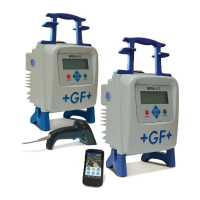
• Either reading the barcode information with the scanner,
• or, if the barcode cannot be read with a scanner for any
reason, entering manually fusion time and voltage by
pressing the START/OK ( I ) button to go in “edit” mode
and then using () and () to select the required digits
and () () to change field. Once the values are entered,
must be pushed START/OK ( I ).
At this stage, to ensure a reliable jointing, pipes and fitting have
to be already prepared: pipes must have been scraped, cleaned,
aligned following the instructions of the fitting manufacturers.
If fusion parameters are not acquired, there might be several
reasons:
• The barcode reader may be operated in a wrong way: try to
put it closer to the barcode
• The barcode may be damaged
• The data are not the expected ones (prolonged tone
generated by the machine): the barcode read does not
contain fusion parameters
As soon as the data are correctly read from the barcode, the
machine confirms with a double acoustic tone and show on the
display a summary of the captured fusion parameters: time,
voltage and expected coil resistance.
Vo= 39.5V
R = 07.45
Ω
12/06/12 15:50 25°C



 To Next Page