Chapter 5 Parameters
VFD-E Series
5-70 Revision August 2006, 01EE, SW--PW V1.03/CTL V2.03
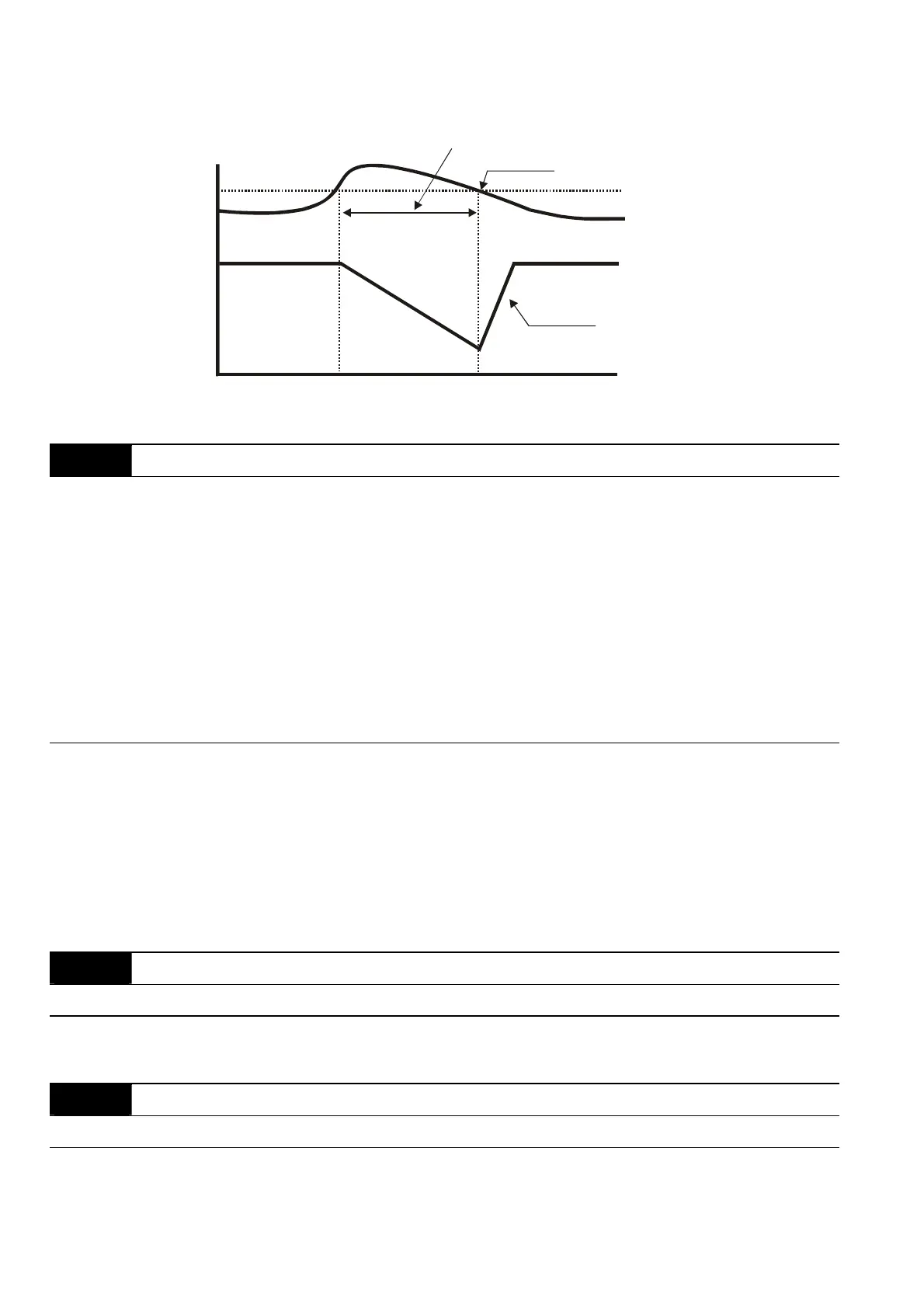
Over-Current
Detection
Level
06.02
Output Current
Output
Frequency
Over-Current Stall
Prevention during
Operation, output
frequency decrease
over-current stall prevention during operation
06.03 Over-Torque Detection Mode (OL2)
Factory Setting: 0
Settings 0 Over-Torque detection disabled.
1 Over-Torque detection enabled during constant speed operation.
After over-torque is detected, keep running until OL1 or OL occurs.
2 Over-Torque detection enabled during constant speed operation.
After over-torque is detected, stop running.
3 Over-Torque detection enabled during acceleration. After over-
torque is detected, keep running until OL1 or OL occurs.
4 Over-Torque detection enabled during acceleration. After over-
torque is detected, stop running.
This parameter determines the operation mode of the drive after the over-torque (OL2) is
detected via the following method: if the output current exceeds the over-torque detection
level (Pr.06.04) longer than the setting of Pr.06.05 Over-Torque Detection Time, the warning
message “OL2” is displayed. If a Multi-functional Output Terminal is set to over-torque
detection (Pr.03.00~03.01=04), the output is on. Please refer to Pr.03.00~03.01 for details.
06.04 Over-Torque Detection Level (OL2) Unit: 1
Settings 10 to 200% Factory Setting: 150
This setting is proportional to the Rated Output Current of the drive.
06.05 Over-Torque Detection Time (OL2) Unit: 0.1
Settings 0.1 to 60.0 sec Factory Setting: 0.1
This parameter sets the time for how long over-torque must be detected before “OL2” is
displayed.


 To Next Page
 Loading...