Appendix D How to Use PLC Function
VFD-E Series
Revision August 2006, 01EE, SW--PW V1.03/CTL V2.03 D-51
Special function
Command
Code
Function Operands
DHSCS
High speed counter control
1:START/STOP (on/off)
S1: Set the counter ID
S2: Select counter
S3: Output relay
Control high speed counter
1:( X, Y, M, T, C)
S1: (K,H,D)
S2: (C235)
S3: (Y,M)
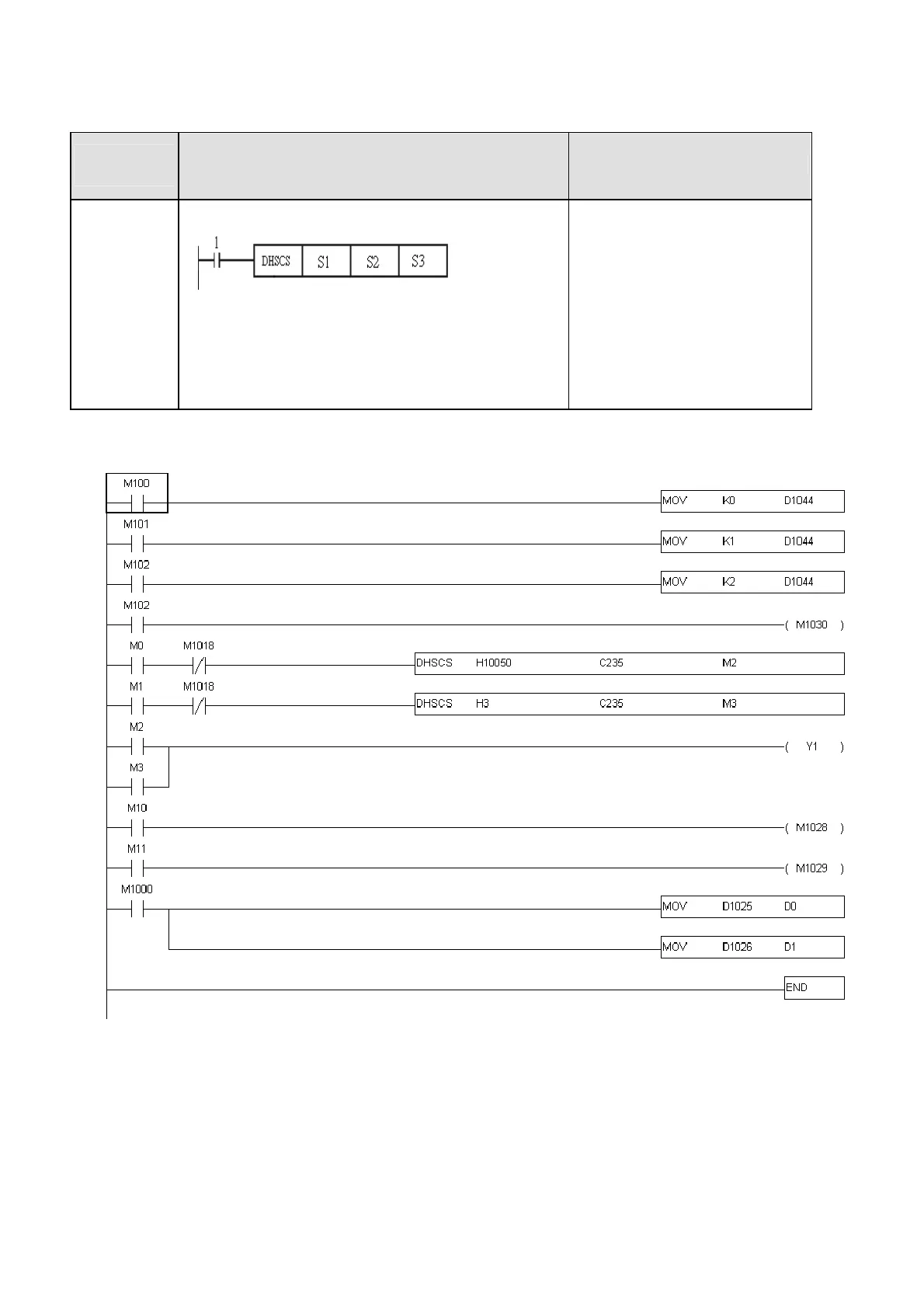
Ladder Program:
Description:
Before using high-speed counter, make sure that you have PG card. To count automatically, please
set the target value by using DHSCS command and set M1028=On. The counter C235 will be ON
when the count number = target value. If you want to clear C235, please set M1029=ON.



 To Next Page