Appendix D How to Use PLC Function
VFD-E Series
D-54 Revision August 2006, 01EE, SW--PW V1.03/CTL V2.03
Description
The FREQ command can control frequency and acceleration/deceleration time. M1025 and M1026
can control RUN/STOP and running direction of the AC motor drive.
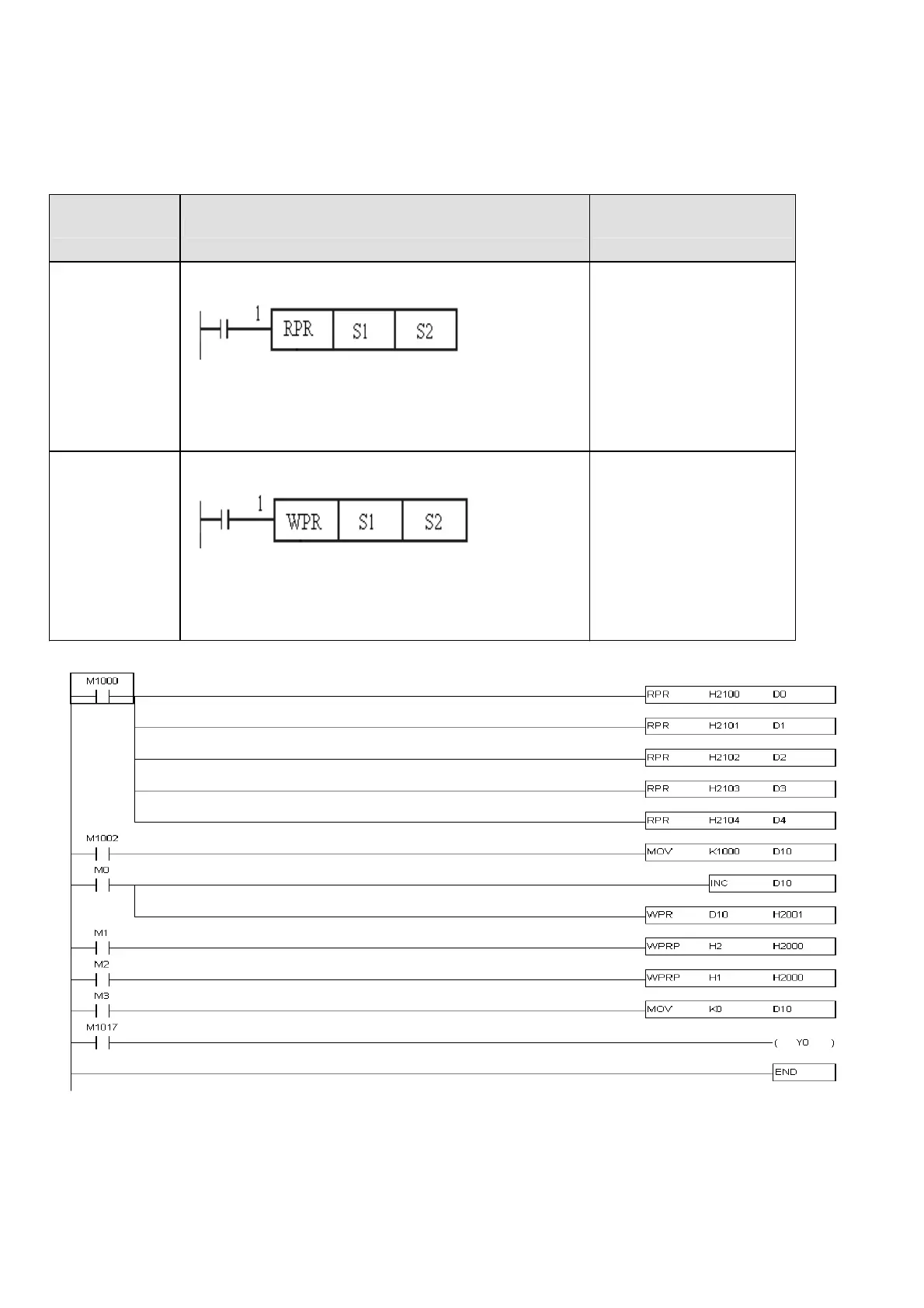
Command Function Operands
RPR
Read the parameter control
1:READ/NONE (on/off)
S1: Parameter code
S2: Read the parameter and save to S2
Read the parameter
1:( X, Y, M, T, C)
S1: (K, H, D)
S2: (D)
WPR
Write the parameter control
1:WRITE/NONE (on/off)
S1: Write S2 to the parameter S1
S2: Parameter code
Write the parameter
1:( X, Y, M, T, C)
S1: (K,H,D)
S2: (D,H,K)
Ladder Program:
Description:
RPR and WPR commands can be used to read/write parameters and communication addresses.


 To Next Page
 Loading...