BATTERY AND TEMPERATURES
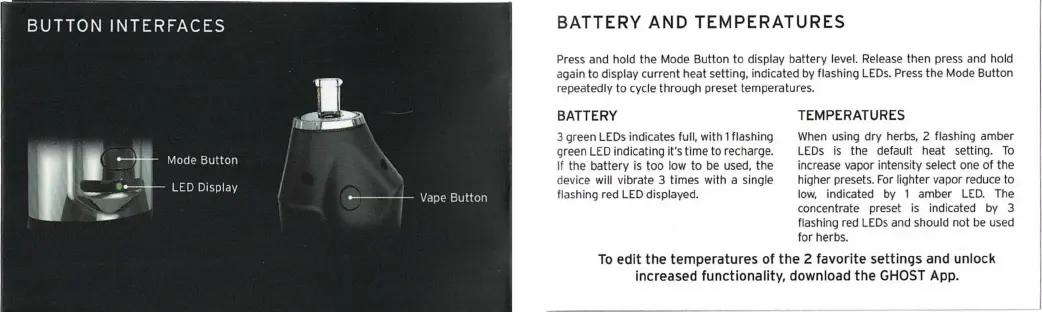
Press and hold the Mode Button to display battery level. Release then press and hold
again to display current heat setting, indicated by flashing LEDs. Press the Mode Button
repeatedly to cycle through preset temperatures .
BATTERY
3 green LEDs indicates full, with 1 flashing
green LED indicating it's lime to recharge.
If the battery is too low to be used, the
device will vibrate 3 times with a single
flashing red LED displayed.
TEMPERATURES
When using dry herbs, 2 flashing amber
LEDs is the default heat setting. To
increase vapor intensity select one of the
higher presets. For lighter vapor reduce to
low, indicated by 1 amber LED. The
concentrate preset is indicated by 3
flashing red LEDs and should not be used
for herbs.
To edit the temperatures of the 2 favorite settings and unlock
increased functionality , download the GHOST App,


 To Next Page