Wireless Module installation
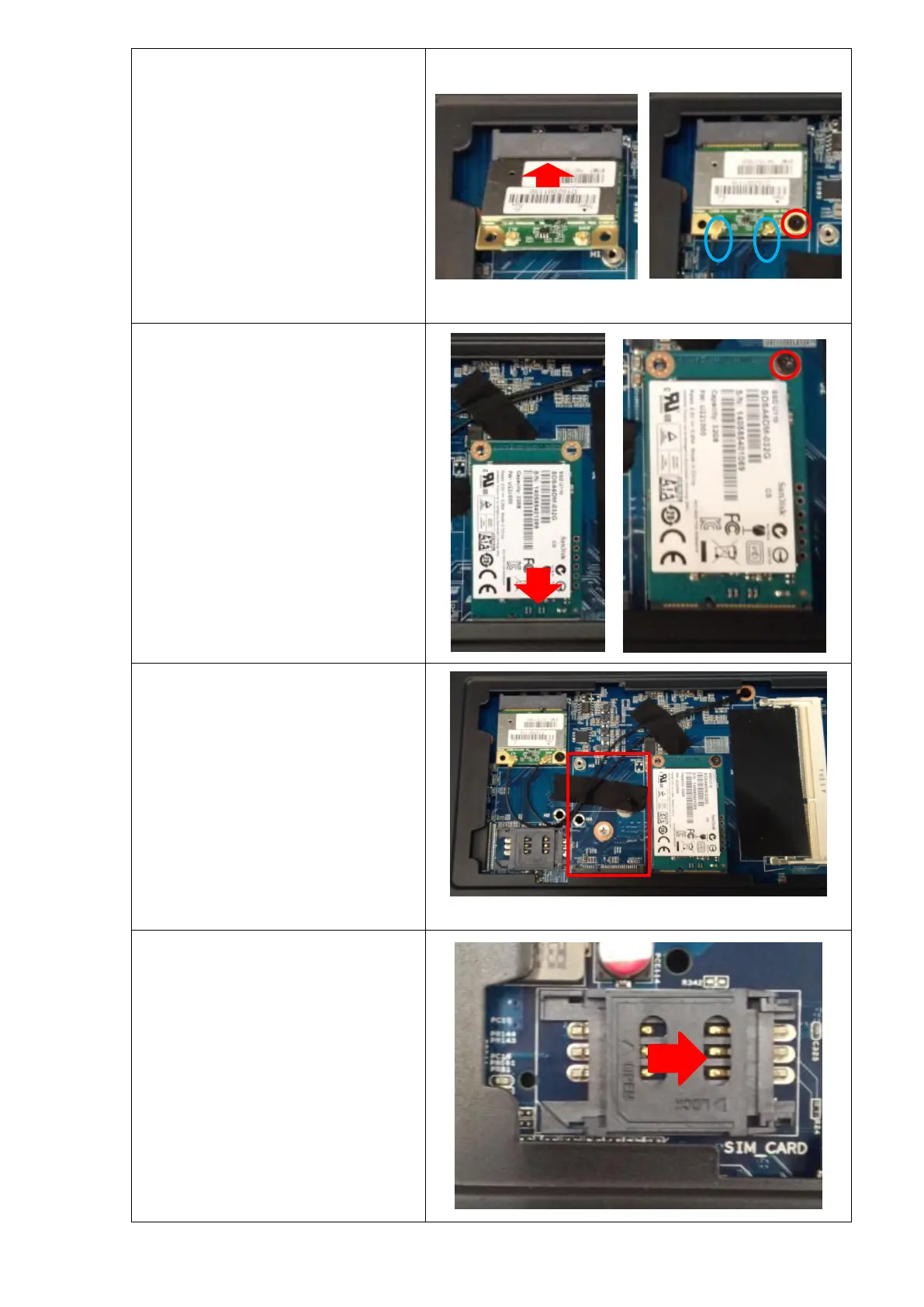
Insert the module to M-PCIE slot, make
sure it is locked with 1 screws.
Connect Wi-Fi cable or BT cable to the
Wireless Module.
As the two wire is the same, there is no
need to distinguish which one is the
main antenna.
If you Wireless Module is full-length, you
can install it to the middle slot.
SSD Module installation
Insert the SSD to M-SATA slot, make sure it
is locked with 1 screws.
3G Module installation
Insert the module to M-PCIE slot, make
sure it is locked with 1 screws.
Connect 3G cable to the Module.
As two black wires installed are used for
Wireless module, but not for 3G module,
you need to install the cable for 3G module.
Move the SIM Card slot as the picture
shown, then you can open it to install your
3G SIM Card.


 To Next Page