Part 3. Memory, Wireless Module, 3G Module, SSD installation
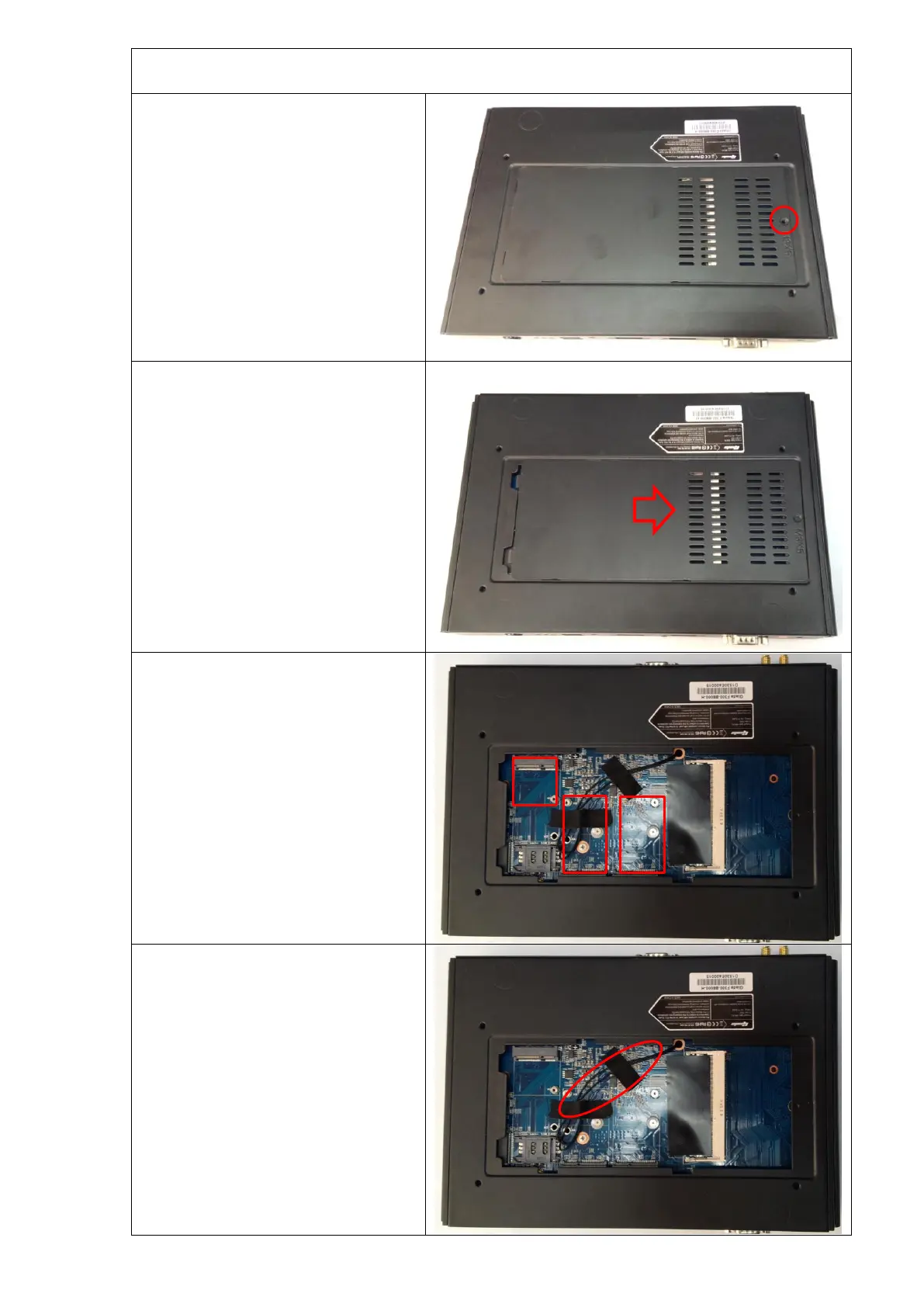
Unscrew (anti-clockwise) the screw from
the bottom cover plate.
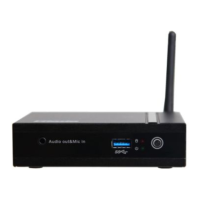
Push the cover plate as the picture
shown.
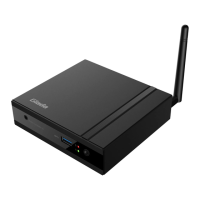
Take away the cover plate and then you can
see one SO-DIMM Slot for Memory,
three Mini-PCI Express® ( Full-length for
mSATA Ⅲ SSD; Full-length for
PCIE/USB/3G; Half-length for PCIe).
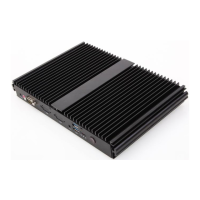
Remark:
The two black wires are used for connecting
the external Antenna to the Wireless
module, but not for connecting 3G module.


 To Next Page