9
(2) To charge the Twist 2.0’s battery pack while it is off the bicycle
Step 1. Turn the power control switch (on right side of the handlebar) to the “off” position
Step 2. When the bag is open, turn the battery lock key to the “OPEN” position and at the same time push the top of the
battery pack outward to 45 degrees.
Step 3. Lift the battery pack out of its holder.
Step 4. Place the battery in a horizontal position.
Step 5. Insert the charger plug into the battery’s charging socket. (Twist 2.0)
Step 6. Connect the power source plug into an electric outlet (AC 110~240 volts) and make sure that all poles are fully
inserted into the socket.
Caution:
Keep the area where the battery is charged well ventilated and free from litter or anything else combustible to avoid
fire from sparks or overheating
Step 7.
Step 8. Disconnect the battery from the charger, after the charge is completed.
Step 9. Mount the battery into its holder.
1. From the left/Right side of the bicycle slid the battery pack into its holder at a 45-degree angle. Make sure the
“GIANT LOGO” is on the out side of the bicycle.
2. Replace the Grip
3. Gently pivot the battery pack to an upright position until the battery pack snaps into place. If the battery pack
does not pivot easily, remove it and reseat it in the holder and try again.
Step 10. Make sure that the battery is secured in “LOCK” position, so that it cannot move sideways.
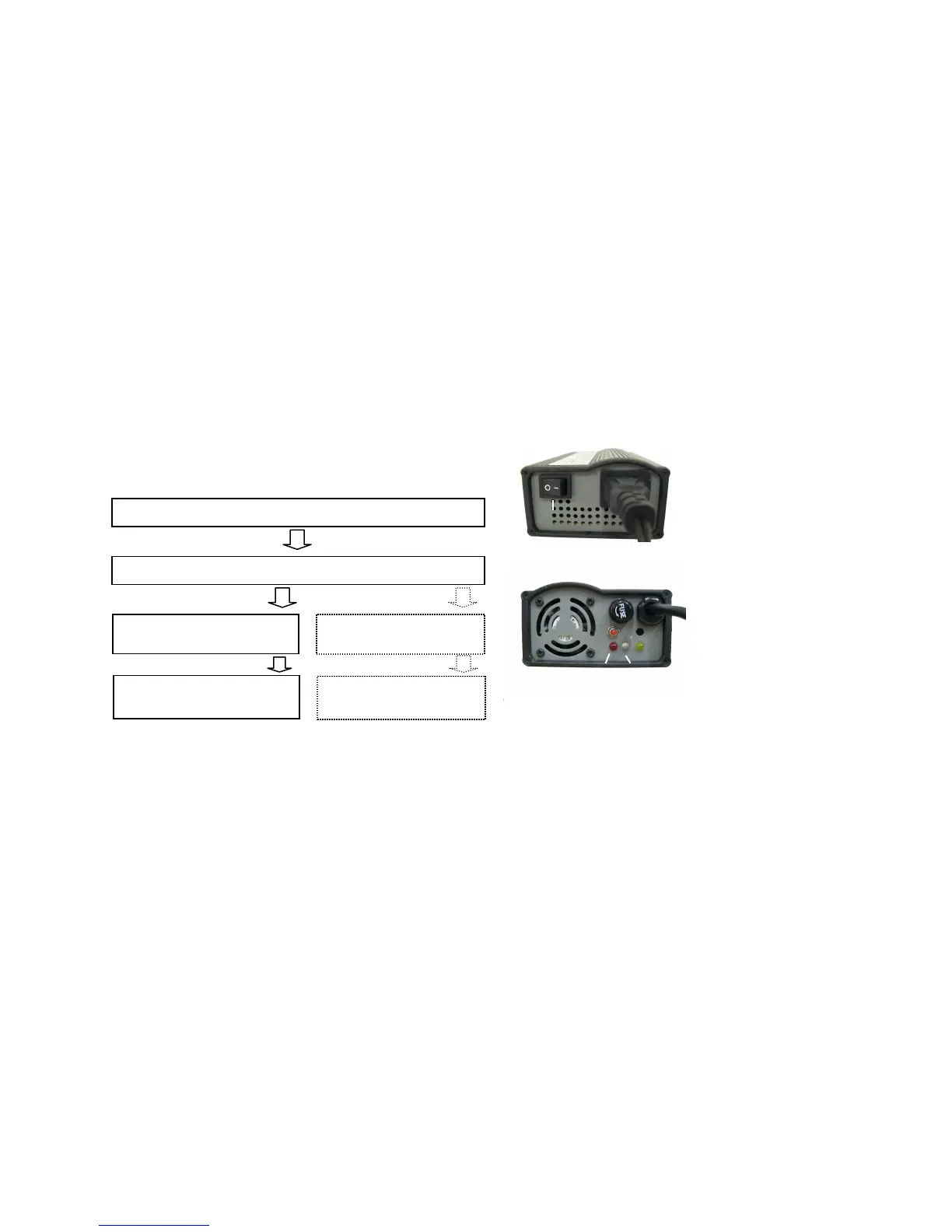
• Turn on the power switch on the charger. (Twist 2.0)
• Confirm that LED lamp of the charger lights up as follows:
After approx. 5 seconds
Reset the power
Blinking exceeds 2 hours
RED light (power on)
ORANGE light blinking (stand
Orange light continuously
Green light
(charging completed)
Bring battery and charger to
Authorized Giant retailer.
The symptom persist
After approx. 4~5 hours
Power Switch
Red
Orange/Green
During charging, charger indicator lights up
and shows the present state of charge.



 To Next Page