
 Need help?
Do you have a question about the Gibson Falcon 20 and is the answer not in the manual?
Higher gain/lower headroom input for full-strength pickup signal and easier clipping/overdrive.
Pads down input signal for postponed clipping and cleaner sounds.
12 watts/6V6s Pentode for balanced sound, max headroom, robust overdrive.
5 watts/6V6s Triode for warmer response with softening of top end.
1 watt/6V6s Triode for ultimate low-wattage range, ideal for practice.
The Gibson Falcon 20 is a tube amplifier that traces its roots back to the 1960s, a period when many classic guitars and amplifiers were created. This amplifier has been resurrected and improved by Randall Smith and the Mesa/Boogie Design Team, incorporating their five decades of experience in creating high-performance tube amplifiers.
The Falcon 20 is designed to deliver a classic vintage tone while offering modern enhancements. It features a unique cathodyne driver that pushes the power section into maximum clip, preserving the "controlled implosion" sound characteristic of the original Falcon. For players seeking a less driven sound, a single TONE control provides a wide array of tonal colors, suitable for jazz, blues, classic, and alternative rock.
A key upgrade is the patented Multi-Watt Power switch, offering three distinct Class A wattage options:
The amplifier also allows for swapping in larger 6L6 power tubes without any modifications, providing additional power (15w/6w/2w), enhanced midrange punch and focus, and a bolder voice.
An all-tube analog spring Reverb circuit adds dimensional character, ranging from subtle enhancement to full-on surf levels. The Reverb's voicing is intentionally "low tech" to authenticate the Falcon's vintage personality. Cleaner, lower-gain sounds are fed to the Reverb tank when using INPUT 2, while more overdriven sounds are fed when using INPUT 1, especially with VOLUME past 11:00.
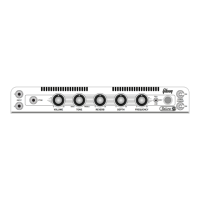
One of the Falcon 20's standout features is its Tremolo circuit, which manipulates the Driver signal to produce a smooth, lush effect. The DEPTH control adjusts the intensity of the modulation, from subtle to a deep breathing effect. The FREQUENCY control adjusts the rate or speed of the modulation, allowing for slow pulses or fast pulsations. This tremolo effect is effective for both clean and overdrive sounds, adding dimension to any tone.
The Falcon 20 includes two INPUTS with different headroom characteristics:
The amplifier's MONITOR output is a 1/4" jack that captures the entire sound of the amplifier (preamp and power amp) from the Speaker Outputs. It acts as a padded SEND for feeding additional power amplifiers or as a Line Out for IR readers/players, parallel signal feeds to a console for re-amping, or external processing.
The SPEAKERS (OUTPUTS) section provides one 8 OHM and two 4 OHM OUTPUTS to accommodate various cabinetry options. The 8 Ohm Output is used for the combo's internal speaker or a single 8 Ohm cabinet, ensuring proper impedance match and maximum power/headroom in the Full Power setting. For two 8 OHM cabinets (e.g., two 1x12 or two 8 Ohm 4x12 cabinets), the two 4 OHM SPEAKER Outputs should be used, with one cabinet connected to each, resulting in a total impedance load of 8 Ohms. A single 4 OHM cabinet (e.g., a 2x12 with 8 Ohm speakers wired in parallel) should be connected to one of the 4 OHM SPEAKER Outputs.
The Falcon 20 is designed for ease of use with its simple controls. The "Cold Start Procedure" is recommended for powering up:
For optimal tone, using a high-quality shielded instrument cable (no more than 15 feet) is recommended, unless a buffer is used. When incorporating pedals, a buffer in the signal chain is suggested to maintain optimal levels and impedances and avoid excess cable capacitance.
The amplifier's design encourages physical connection with the instrument and player. Having the combo or a cabinet on the floor allows sound waves to transmit through objects and the body, enhancing the feel and resonance of the instrument, especially in the low end. However, on stages with many live microphones or resonant floors, lifting the cabinetry may be necessary to prevent low-end feedback.
The TONE control, a single knob, replaces traditional multi-band tone stacks. It shapes the signal to achieve brighter or darker sounds, with the middle range (10:30 – 1:00) being the ideal starting point for most applications. When the power section is heavily clipping, the TONE control will have less effect as the power section's saturation dominates.
The Reverb and Tremolo effects can be toggled on and off using the supplied Falcon Footswitch, which connects to the FOOTSWITCH jack.
The manual emphasizes several safety and maintenance guidelines:
The manual includes a Tube Chart detailing the function of each tube (V1-V6) and the power amp configurations for FULL, HALF, and LOW power settings. A Parts List is also provided, listing components like input jacks, switches, potentiometers, tube covers, and fuses, along with their part numbers.
For technical support, troubleshooting, and warranty information, users in the USA and Canada can contact Gibson Brands Inc. via phone or email. International users are directed to their local Gibson Amplifier Distributor.
 General
| Model | Falcon 20 |
|---|---|
| Wattage | 20 watts |
| Tubes | 3 x 12AX7 |
| Speaker | 1 x 12" |
| Controls | Reverb |

 To Next Page

