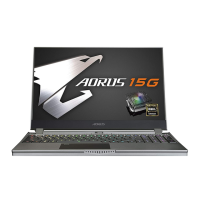
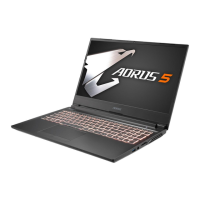
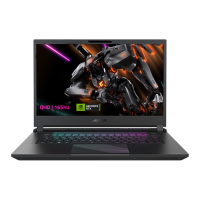
This document is the user manual for the AORUS 15 (X5LF) Notebook PC, focusing on initial setup, hardware overview, hotkeys, and system recovery.
Function Description
The AORUS 15 (X5LF) is a high-performance notebook PC designed for gaming and other demanding tasks. It features a robust set of connectivity options, a powerful processor, and a dedicated graphics card to deliver an immersive user experience. The notebook is equipped with a built-in lithium battery for portability and includes features like fan speed control, display management, and audio adjustments for optimal performance and user comfort. The system also incorporates a recovery feature to restore the operating system to factory default settings, ensuring system stability and ease of maintenance.
Important Technical Specifications
While detailed specifications are not fully listed in the provided pages, the manual highlights several key technical aspects:
- Power Adapter: Input voltage: 100-240Vac, Input frequency: 50-60Hz, Rating output voltage: 20V, 12A. It is crucial to use a grounded power adapter.
- Ports:
- USB 3.2 Port (USB type-A): Multiple ports (at least two are visible, one on the left and one on the right).
- USB 3.2 Port (USB type C): One port.
- Ethernet Port (LAN): For wired network connectivity.
- Thunderbolt 4 Port (PD in 100W): Supports power delivery up to 100W.
- HDMI 2.1 Port: For high-definition video output.
- Mini DisplayPort 1.4: Another option for video output.
- Power Input Port (DC): For connecting the AC adapter.
- Audio Combo Jack: For headphones and microphone.
- Input Devices: Keyboard, Touchpad.
- Sensors: Light Sensor Area (adjusts screen brightness automatically).
- Audio: Speaker, Microphone.
- Display: Display Panel, Webcam.
- Operating System: Windows® (requires setup upon first use, audio functions after setup).
- Recovery System: Hidden partition with a full backup image of the operating system for factory default restoration. This feature is only available on devices with O/S preinstalled and not on devices with EFI SHELL.
Usage Features
The AORUS 15 notebook offers a variety of usage features designed to enhance productivity and user experience:
- First-Time Setup: Simple three-step process to connect the power cord, AC adapter, and plug into a power outlet.
- Power On: Instructions for initial power-on, emphasizing not to turn off the notebook until the operating system is configured.
- Hotkeys: A comprehensive set of Fn key combinations for quick access to system controls:
Fn+ESC: Maximize Fan Speed (to 100%).Fn+F1: Sleep mode.Fn+F2: Toggle Wireless LAN (enable/disable).Fn+F3: Decrease screen brightness.Fn+F4: Increase screen brightness.Fn+F5: Display Toggle (switch output between display screen, external monitor, and both).Fn+F6: Screen Display Lock (lock PC or switch accounts).Fn+F7: Speaker Toggle (on/off).Fn+F8: Decrease sound volume.Fn+F9: Increase sound volume.Fn+F10: Touchpad Toggle (on/off).Fn+F11: Airplane Mode (enable/disable).Fn+F12: AI Mode Switch.Fn+Space: Keyboard Backlight Toggle (on/off).
- Automatic Brightness Adjustment: The light sensor automatically adjusts screen brightness based on ambient light.
- System Recovery:
- Launch: Press and hold
F9 during laptop startup.
- Options:
- "Troubleshoot": Enters recovery settings.
- "Continue": Exits recovery system to access files/data backup.
- Recovery Options:
- "Reset this PC": Allows keeping or removing files before reinstalling Windows.
- "Smart Recovery": Restores PC settings to factory default, deleting all personal data and files.
- Advanced Options:
- System Restore: Use a restore point.
- System Image Recovery: Recover using a specific system image file.
- Startup Repair: Fix problems preventing Windows from loading.
- Command Prompt: For advanced troubleshooting.
- UEFI Firmware Settings: Change PC's UEFI firmware settings.
- Startup Settings: Change Windows Startup behavior.
Maintenance Features
The manual provides important guidelines for maintaining the AORUS 15 notebook and ensuring its longevity:
- Battery Care: Do not remove the built-in lithium battery.
- Service: For any service needs, contact a local GIGABYTE Authorized Service Center.
- Environmental Precautions:
- Avoid installing the notebook on a slant or in a place prone to vibrations to prevent malfunction or damage.
- Do not store in direct sunlight or locations exceeding 112°F (45°C), such as inside a vehicle, to prevent Lithium-ion battery expansion and aging.
- Avoid using in badly ventilated locations (e.g., on bedding, pillows, cushions) or areas with floor heating, as this can cause overheating.
- Ensure that the notebook's vents (side or bottom) are not blocked to prevent overheating.
- System Recovery: The built-in system recovery feature allows users to restore the operating system to factory default settings, which can resolve software issues and maintain system performance. Users are cautioned that "Smart Recovery" will delete all personal data.
- Power During Recovery: It is critical to keep the AC adapter plugged in and not turn off the laptop during the recovery process.
The manual also directs users to the GIGABYTE website for warranty, service, and FAQ information, providing resources for further support and maintenance.

 Need help?







 To Next Page
 General