6
English
Recovery Guide
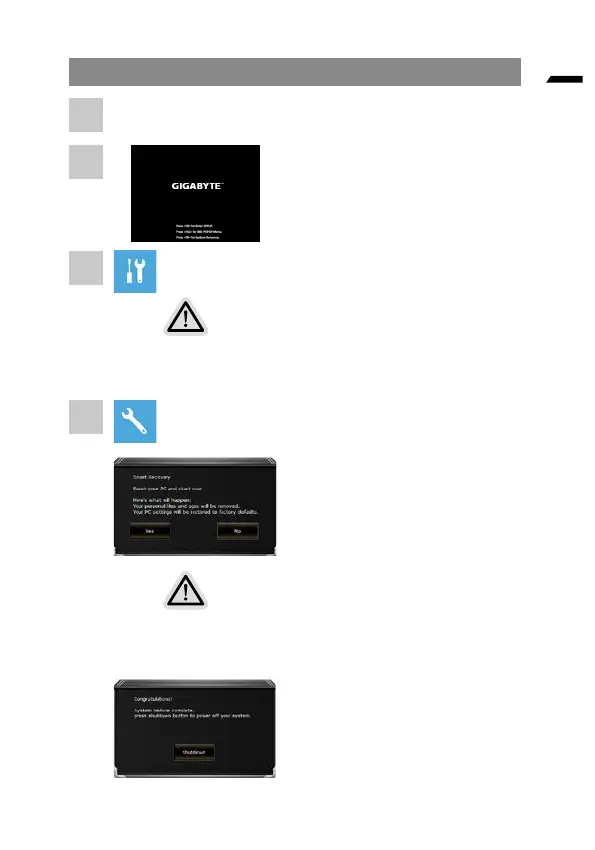
Turn o and restart the laptop.
During the laptop turn on process, press
and hold F9 key to launch the tool.
Choose “Troubleshoot” to enter the recovery settings.
(Also you can choose“Continue” to exit recovery system and continue to
System for les or data backup.)
There are two options for system recovery
•
Reset this PC
You can choose to keep or remove your files and then
reinstalls Windows without losing your les.
• Smart Recovery
Your PC settings will be restored to factory default settings.
Caution: All personal data and les will be lost.
Smart Recovery
The recovery will be activated and
you will see the option buttons on
the window. Click on “Yes” to start it.
Caution
• Once the “Recovery” is selected, your personal data and
les will be deleted after the laptop starts restoring, and the
operating system will be reset to factory default settings.
• A progress indicator bar will show on the window when the
recovery process is running. Please make sure the
AC-adapter is plugged in and do not turn o the laptop.
After the system recovery is
completed, you will see the
option button on the window,
please click on “Shutdown”.
1
2
3
4



 To Next Page