To Next PageTo Next Page
 Need help?
Do you have a question about the Gigabyte Z790 AORUS ELITE AX ICE and is the answer not in the manual?
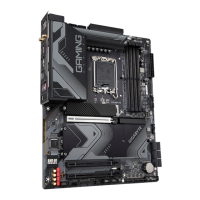
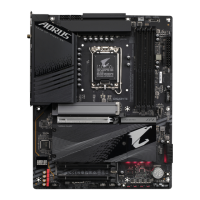
Overview of motherboard components and their physical locations on the board.
Visual representation of the motherboard's internal architecture and data flow paths.
Essential safety guidelines and procedures to follow before and during hardware installation.
Detailed technical specifications of the motherboard, including CPU, memory, and expansion slots.
Step-by-step instructions for correctly installing the CPU and its cooling solution.
Guide on how to properly install memory modules into the motherboard slots for optimal performance.
Instructions for installing additional hardware components like graphics cards into expansion slots.
Explanation of all ports and connectors on the motherboard's rear I/O panel and their functions.
Details on the function and status indication of the motherboard's onboard buttons and LEDs.
Information on various internal headers and connectors on the motherboard for system components.
Describes the initial logo screen that appears when the computer boots up.
Explains key combinations for accessing BIOS Setup, Boot Menu, and Q-Flash utility.
Steps for installing the operating system, including necessary drivers for hardware.
Guide for installing drivers and GIGABYTE applications via the Control Center.
Instructions on how to set up RAID configurations for storage devices.
Statement regarding compliance with FCC rules for unintentional radiators.
Information regarding Industry Canada license-exempt RSS standards and wireless statements.
Declaration of conformity with European Union directives for electrical and electronic equipment.
Details of approvals for the wireless modules used in the motherboard.
Overview of motherboard components and their physical locations on the board.
Visual representation of the motherboard's internal architecture and data flow paths.
Essential safety guidelines and procedures to follow before and during hardware installation.
Detailed technical specifications of the motherboard, including CPU, memory, and expansion slots.
Step-by-step instructions for correctly installing the CPU and its cooling solution.
Guide on how to properly install memory modules into the motherboard slots for optimal performance.
Instructions for installing additional hardware components like graphics cards into expansion slots.
Explanation of all ports and connectors on the motherboard's rear I/O panel and their functions.
Details on the function and status indication of the motherboard's onboard buttons and LEDs.
Information on various internal headers and connectors on the motherboard for system components.
Describes the initial logo screen that appears when the computer boots up.
Explains key combinations for accessing BIOS Setup, Boot Menu, and Q-Flash utility.
Steps for installing the operating system, including necessary drivers for hardware.
Guide for installing drivers and GIGABYTE applications via the Control Center.
Instructions on how to set up RAID configurations for storage devices.
Statement regarding compliance with FCC rules for unintentional radiators.
Information regarding Industry Canada license-exempt RSS standards and wireless statements.
Declaration of conformity with European Union directives for electrical and electronic equipment.
Details of approvals for the wireless modules used in the motherboard.
 General
| Processor socket | LGA 1700 |
|---|---|
| Processor manufacturer | Intel |
| Compatible processor series | Intel Celeron, Intel Core i3, Intel Core i5, Intel Core i7, Intel Core i9, Intel Pentium Gold |
| Maximum internal memory supported by processor | 192 GB |
| Component for | PC |
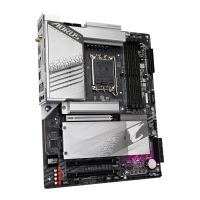
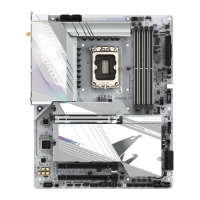
| Product color | White |
| Motherboard chipset | Intel Z790 Express |
| PC health monitoring | FAN, Temperature, Voltage, Water cooling |
| Audio output channels | 7.1 channels |
| Motherboard form factor | ATX |
| Windows operating systems supported | Windows 10 x64, Windows 11 x64 |
| ECC | Yes |
| Memory channels | Dual-channel |
| Memory slots type | DIMM |
| Number of memory slots | 4 |
| Supported memory types | DDR5-SDRAM |
| Supported memory clock speeds | 4000, 4800, 5200, 5400, 5600, 5800, 6000, 6200, 6400, 6600, 6800, 7000, 7200, 7400, 7600 MHz |
| Supported memory clock speed (max) | 7600 MHz |
| Supported memory module capacities | 1GB, 2GB, 4GB, 12GB, 16GB, 32GB, 48GB |
| RAID levels | 0, 1, 5, 10 |
| Number of HDDs supported | 6 |
| Supported storage drive types | HDD & SSD |
| Number of storage drives supported | 10 |
| Supported storage drive interfaces | M.2, PCI Express 4.0, SATA III |
| DirectX version | 12.0 |
| Maximum resolution | 4096 x 2304 pixels |
| Parallel processing technology support | Not supported |
| USB 2.0 connectors | 2 |
| USB 3.2 Gen 2 (3.1 Gen 2) connectors | 1 |
| USB connector type | USB Type-A, USB Type-C |
| DisplayPort version | 1.2 |
| USB 2.0 ports quantity | USB 2.0 ports have a data transmission speed of 480 Mbps, and are backwards compatible with USB 1.1 ports. You can connect all kinds of peripheral devices to them. |
| USB 3.2 Gen 1 (3.1 Gen 1) Type-A ports quantity | 3 |
| USB 3.2 Gen 1 (3.1 Gen 1) Type-C ports quantity | 0 |
| Wi-Fi standards | 802.11a, 802.11b, 802.11g, Wi-Fi 4 (802.11n), Wi-Fi 5 (802.11ac), Wi-Fi 6 (802.11ax), Wi-Fi 6E (802.11ax) |
| Bluetooth version | 5.3 |
| Top Wi-Fi standard | Wi-Fi 6E (802.11ax) |
| Ethernet interface type | 2.5 Gigabit Ethernet |
| BIOS type | UEFI AMI |
| ACPI version | 5.0 |
| BIOS memory size | 256 Mbit |
| Desktop Management Interface (DMI) version | 2.7 |
| Cables included | SATA |
| Bundled software | Norton Internet Security |
| Country of origin | China |
| Quantity per shipping (inner) case | 1 pc(s) |
| Warranty period | 3 year(s) |
| Package depth | 270 mm |
| Package width | 335 mm |
| Package height | 80 mm |
| Package weight | 2300 g |
| Battery type | CR2032 |
| Battery weight | 3 g |
| Battery technology | Lithium-Manganese Dioxide (LiMnO2) |
 Weight and Dimensions
| Depth | 244 mm |
|---|---|
| Width | 305 mm |
| Height | 35 mm |