Need help?
Do you have a question about the GigaPan EPIC and is the answer not in the manual?
Explains the GigaPan System as a complete solution for capturing gigapixel images using integrated equipment, software, and website.
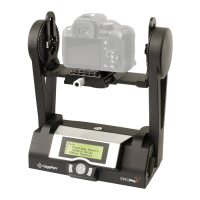
Details the various components and parts of the GigaPan EPIC robotic camera mount.
Lists the necessary equipment required to start shooting panoramas with the GigaPan EPIC.
Provides step-by-step instructions for installing AA batteries into the GigaPan EPIC unit.
Guides users on securely attaching the GigaPan EPIC to a tripod for stable shooting.
Explains the process of attaching a digital camera to the GigaPan EPIC.
Describes the procedure for aligning the camera's field of view with the GigaPan EPIC.
Provides recommended digital camera settings for capturing high-quality panoramas.
Explains how to locate the nodal point for precise panoramic stitching and parallax elimination.
Step-by-step guide to initiating and capturing a new panorama sequence.
Guide on using the GigaPan Stitch software to assemble and blend panorama images.
 General
| Brand | GigaPan |
|---|---|
| Model | EPIC |
| Category | Camera Accessories |
| Language | English |


 To Next Page