EasyManua.ls Logo

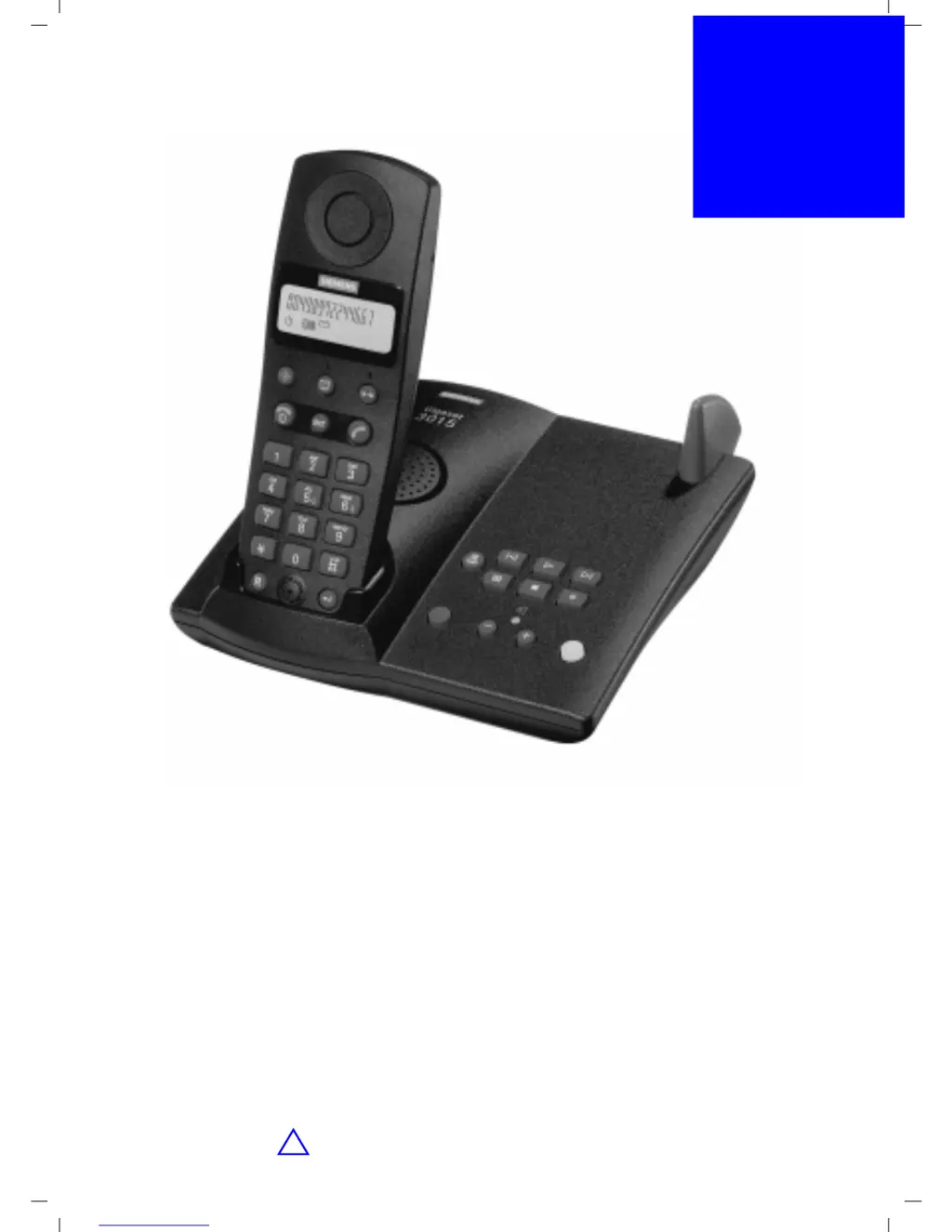
Gigaset 3015 Classic - User Manual

Gigaset 3015 Classic
72 pages
Print Icon
To Next Page IconTo Next Page
Loading...
Gigaset 3015 Classic, ÜBasis, A31008-G3015-B001-1-19
UMSCHL_V.FM
20.12.99
U1
Gigaset
3015
Classic
Operating Instructions
and Safety Precautions
!

Table of Contents

Questions and Answers

  • R
    Robert LongAug 18, 2025
    Why is my Gigaset Cordless Telephone not connecting to the base station?
    • S
      shaun69Aug 18, 2025
      If your Gigaset Cordless Telephone shows a flashing light indicating no radio connection, there are a few potential causes: * The mobile unit might be out of the base station range, so move closer. * The mobile unit might not be registered. * The base station might not be activated.
  • A
    Allison PerezAug 20, 2025
    What to do if my Gigaset Cordless Telephone has no display?
    • P
      Priscilla JohnsonAug 21, 2025
      If your Gigaset Cordless Telephone display is blank, it could be due to two reasons: either the mobile unit is not activated - in this case, hold down the end call key for 1 second. Or the batteries are flat, so you should charge them.
  • O
    omooreAug 23, 2025
    What to do if my Gigaset 3015 Classic doesn't react to key presses?
    • K
      Kenneth GarciaAug 23, 2025
      If your Gigaset Cordless Telephone isn't responding when you press the keys, it's possible that the keypad protection is activated. To deactivate it, hold down the appropriate key for 1 second.
  • R
    Rachel ByrdAug 26, 2025
    Why does my Gigaset 3015 Classic not ring?
    • J
      Jean PenaAug 26, 2025
      If your Gigaset Cordless Telephone isn't ringing, the ringer might be turned off. Activate the ringer.
  • B
    Benjamin MartinezAug 28, 2025
    Why doesn't my Gigaset 3015 Classic Cordless Telephone base station ring?
    • C
      Christopher RobertsonAug 28, 2025
      If the base station of your Gigaset Cordless Telephone isn't ringing, the ringer might be off. Activate the ringer.
  • S
    Stephen FoxAug 30, 2025
    What to do if my Gigaset 3015 Classic answering machine reports an invalid PIN?
    • A
      Amy WhiteAug 30, 2025
      If your Gigaset Cordless Telephone answering machine indicates that the PIN is invalid, it's likely because the system PIN entered is incorrect or the PIN is set to 0000. To resolve this, re-enter the correct PIN or set a new system PIN that is not 0000.
  • S
    Shelley DixonSep 1, 2025
    What to do if the called party cannot hear me on my Gigaset 3015 Classic Cordless Telephone?
    • R
      robertkingSep 1, 2025
      If the person you're calling can't hear you when using your Gigaset Cordless Telephone, it's possible that the microphone is muted. Press the corresponding key to activate the microphone.
  • J
    Julia SmithSep 3, 2025
    Why can't I dial external call numbers on my Gigaset 3015 Classic Cordless Telephone?
    • J
      John RogersSep 4, 2025
      If you're unable to dial external numbers on your Gigaset Cordless Telephone, several factors could be the reason: * The base lock might be activated, so you should deactivate it. * The handset lock might be activated, so you should deactivate it. * The call number matches a barring code. * The credit on your call allowance account is exhausted. * External dialling is disabled, so you should enable external calling.
  • T
    Tony JohnsonSep 5, 2025
    Why is my Gigaset 3015 Classic answering machine not recording messages?
    • K
      Kylie HoganSep 6, 2025
      If your Gigaset Cordless Telephone answering machine isn't recording messages, announcements, or information, it's likely because the memory is full. Erase old messages, or play back new messages and then erase them.
  • S
    Susan SheppardSep 8, 2025
    Why is my Gigaset 3015 Classic answering machine not recording or monitoring?
    • T
      tallenSep 8, 2025
      If the answering machine on your Gigaset Cordless Telephone is on but not recording messages or allowing monitoring, it might be compressing messages. Wait 3 to 5 minutes, and it should become fully functional again.

Summary

General

Safety Precautions

Important safety instructions for using the Gigaset 3015 Classic telephone unit.

Preparing the Telephone

Installing;Connecting the Base Station

Instructions and notes on how to install and connect the base station properly.

Inserting;Charging the Batteries

Detailed steps for inserting and charging the batteries in the mobile unit.

Setting the Date;Time

Steps to set the current date and time on the telephone system.

Activating;Deactivating the Answering Machine

Instructions for turning the telephone answering machine on and off.

Making Calls

Making an External Call

Procedure for dialling and making calls to external numbers.

Answering a Call

Steps to take when a call is received on the mobile unit.

Enhanced Telephone Features

Redial

How to redial the last five numbers called and manage the redial list.

Redialling a Number

Procedure for displaying and dialling numbers from the redial list.

Saving;Changing;Deleting Call Numbers

Instructions for saving, modifying, and deleting numbers in the speed dial list.

Speed Dialling

How to use the speed dial function for quick number dialling.

Caller List;Mailbox Function

Managing the caller list and understanding the mailbox function.

Dialling a Number

How to dial numbers directly from the caller list.

Recording an External Call

How to record an external call using the answering machine.

Cost-Effective Telephoning

Call-by-Call Support

Using call-by-call codes to simplify dialling with alternative telephone companies.

Displaying Call Charges

How to display call charges for the current call and total charges.

Setting the Price Per Unit

Procedure to set the price per unit for accurate call charge display.

Call Allowance Account

Setting up and managing a call allowance account for outgoing calls.

Answering Machine

Operation Using the Base Station

How to operate the answering machine using the keys on the base station.

Recording Announcements

How to record personal or advisory announcements for the answering machine.

Recording an Announcement with Final Announcement

How to record an announcement followed by a final announcement.

Playing Back Messages

How to listen to new and old messages recorded on the answering machine.

Erasing Messages

How to erase all or individual old messages from the answering machine.

Operating the Answering Machine with the Mobile Unit

How to control the answering machine using the mobile unit's keypad.

Activate; Deactivate Answering Machine

Steps to activate or deactivate the answering machine remotely via the mobile unit.

Recording an Announcement (Remote)

How to record announcements remotely via the mobile unit or external telephone.

Playing Messages (Remote)

How to play back messages remotely using digit keys or display keys.

Playing Messages Using the Display Keys (Remote)

Using display keys to navigate and play messages remotely.

Erasing Messages (Remote)

How to erase all or individual messages remotely.

Individual Mobile Unit Settings

Base Station Settings

Mobile Unit Security

Changing the Telephone PIN

How to change the personal identification number (PIN) for the mobile unit.

Activating the Telephone Lock

How to lock the mobile unit to prevent unauthorized use, allowing only emergency calls.

Dialling an Emergency Number

How to dial an emergency number when the mobile unit is locked.

Deactivating the Telephone Lock

How to unlock the mobile unit and restore full functionality.

Base Station Security

Changing the Base Stations System PIN

How to change the system PIN for the base station for security.

Activating;Deactivating the Base Station Lock

How to lock the base station to prevent external calls from all mobile units.

Saving Emergency Numbers

How to save additional emergency numbers for quick dialling.

Saving;Changing;Deleting Emergency Numbers

Procedure to save, change, or delete emergency numbers.

Operating More Than One Mobile Unit

Making an Internal Call

How to make internal calls between registered mobile units.

Connecting to a PABX System

Appendix

Troubleshooting

Common faults, their possible causes, and solutions for the Gigaset 3015.

Gigaset 3015 Classic Specifications

General IconGeneral
DisplayLCD
Number of Ringtones10
Talk Time10 hours
Battery TypeNiMH
Caller IDYes
SpeakerphoneNo
Answering MachineNo
Headset JackNo
Eco ModeYes
TypeCordless Phone
Range50 meters indoors, 300 meters outdoors
Redial List10 entries

Related product manuals